
We appreciate your interest and would love to hear from you:
💬 Found a bug? Please report it in the comments or on https://github.com/exekx/FS25_RealisticHarvesting/issues
💡 Have suggestions? Share your ideas with us
⭐ Like the mod? Leave a review and rating
Link to the official Discord channel: https://discord.gg/Dc2CvZJqU4
Original download link kingmod by exekx | https://github.com/exekx/FS25_RealisticHarvesting
Please do not re-upload or modify this link - support the original creator!
What does this mod do?
This mod completely overhauls the harvesting mechanics in Farming Simulator 25! Your combine will no longer be able to unrealistically harvest at full speed in dense crops without consequences. The harvesting speed and efficiency are now dynamically tied to the thresher load and your machine's calibration.
Key Features:
🌾 Realistic Load Calculation: The denser the crop and the wider the header, the slower the combine moves. Overload the engine, and you will begin to physically lose yield!
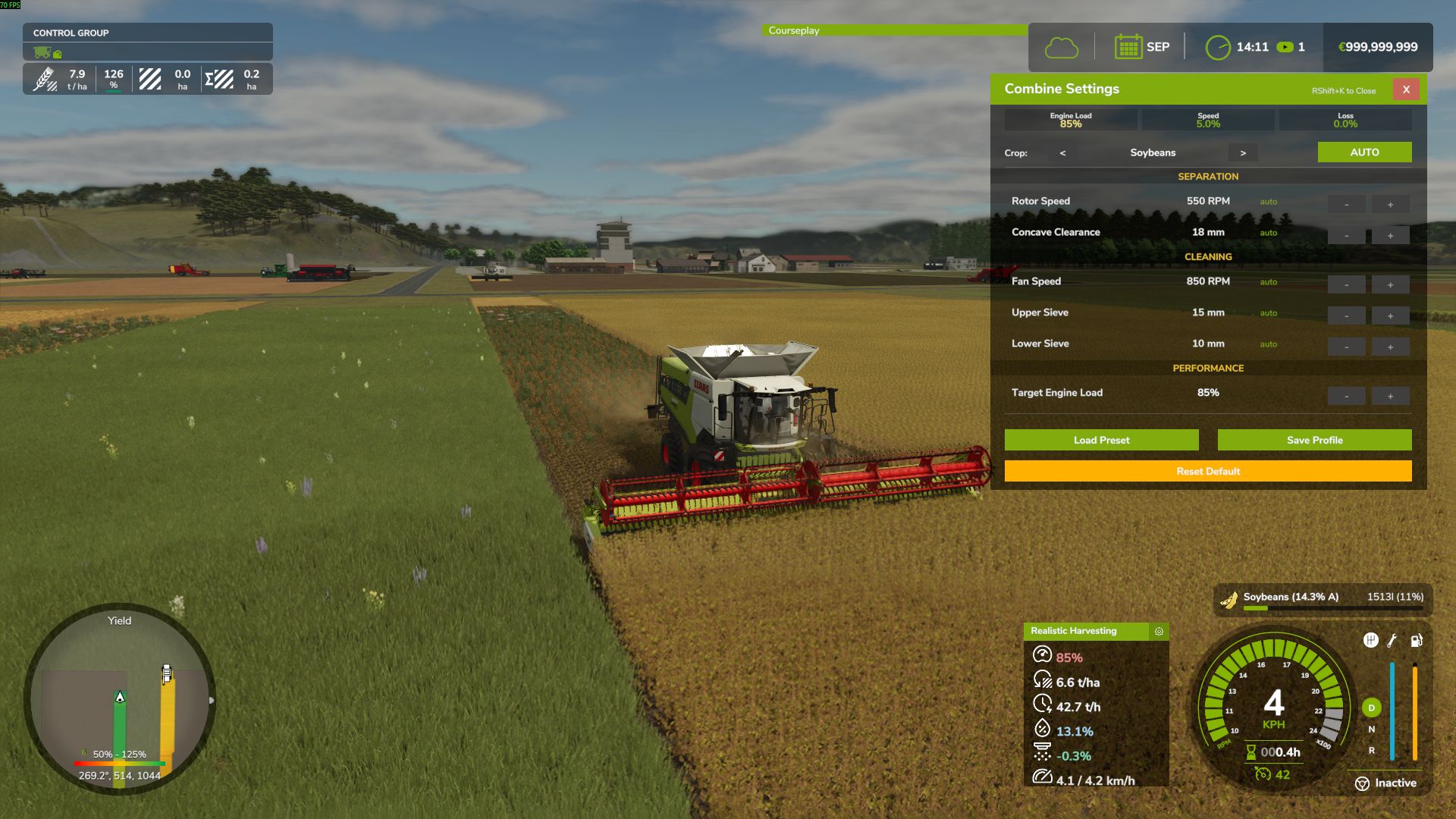
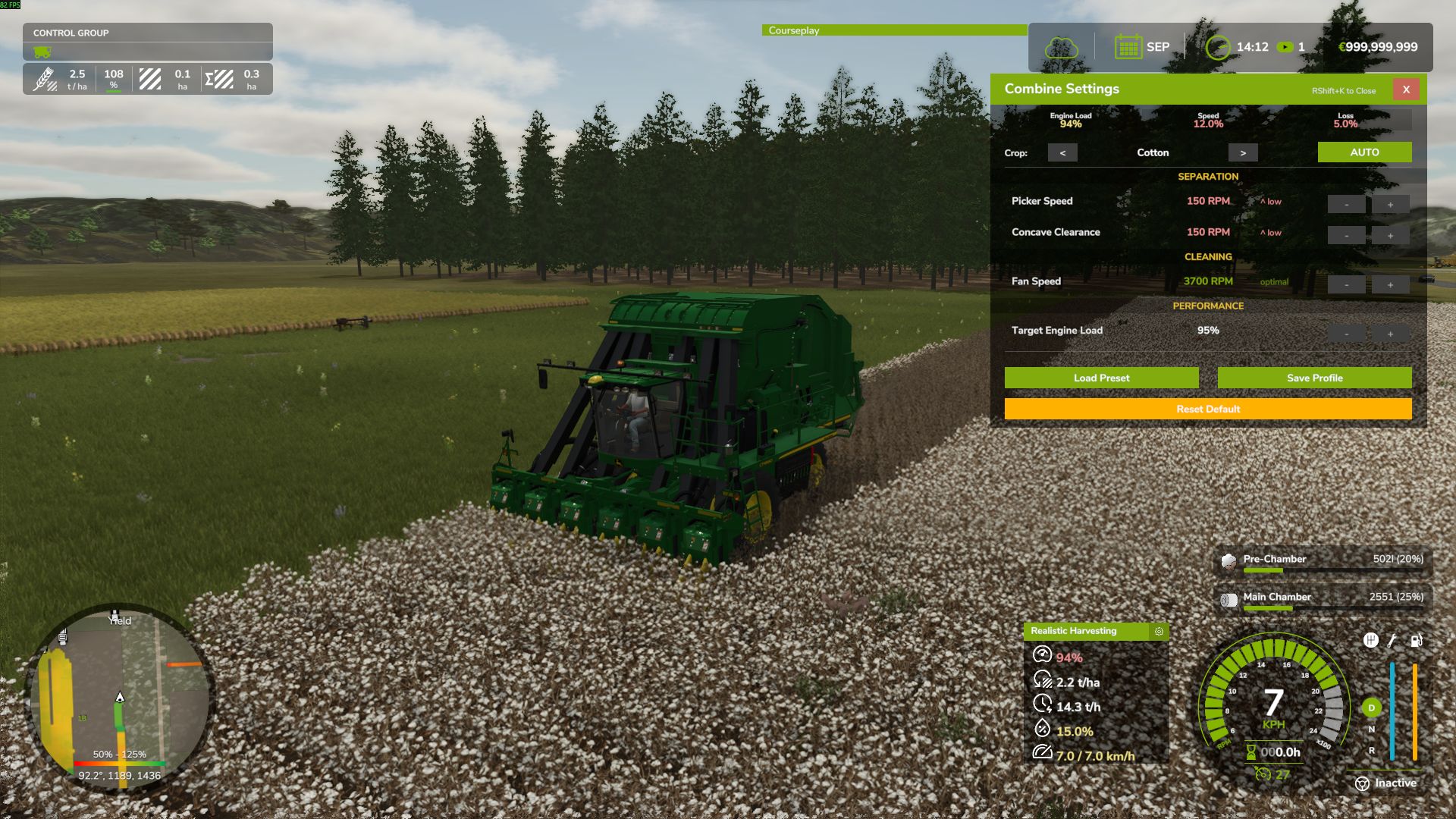
⚙️ Interactive Combine Calibration (NEW): Press `RShift + K` to open the Combine Settings menu! You must calibrate your Fan, Rotor, Sieves, and Feeder for each specific crop type. Poor settings will result in additional crop loss!
💾 Global Crop Profiles (NEW): Save your perfectly tuned calibration profiles globally. Switch combines or rejoin the server, and your favorite settings for Wheat, Corn, or Soybeans are instantly applied.
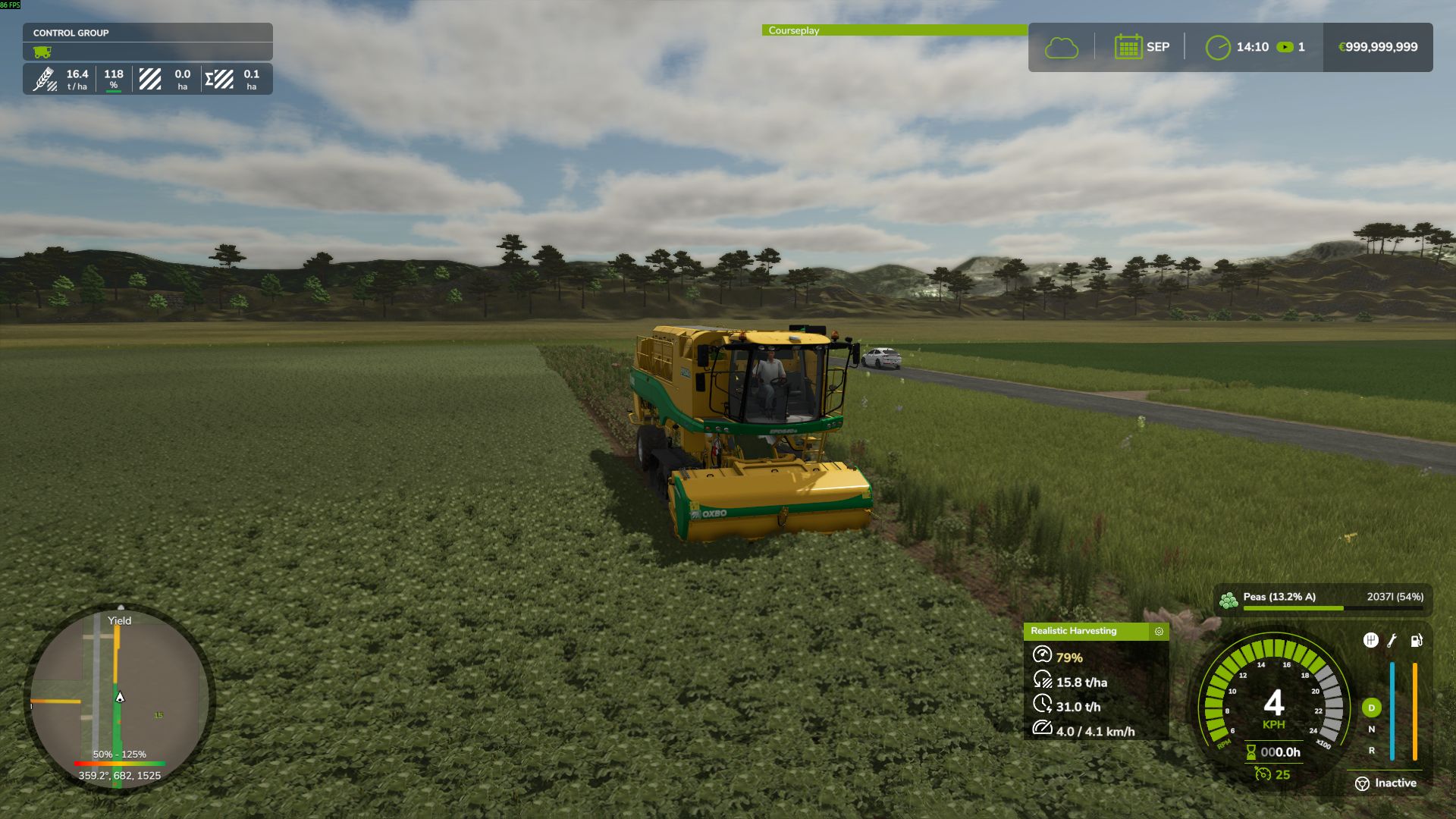
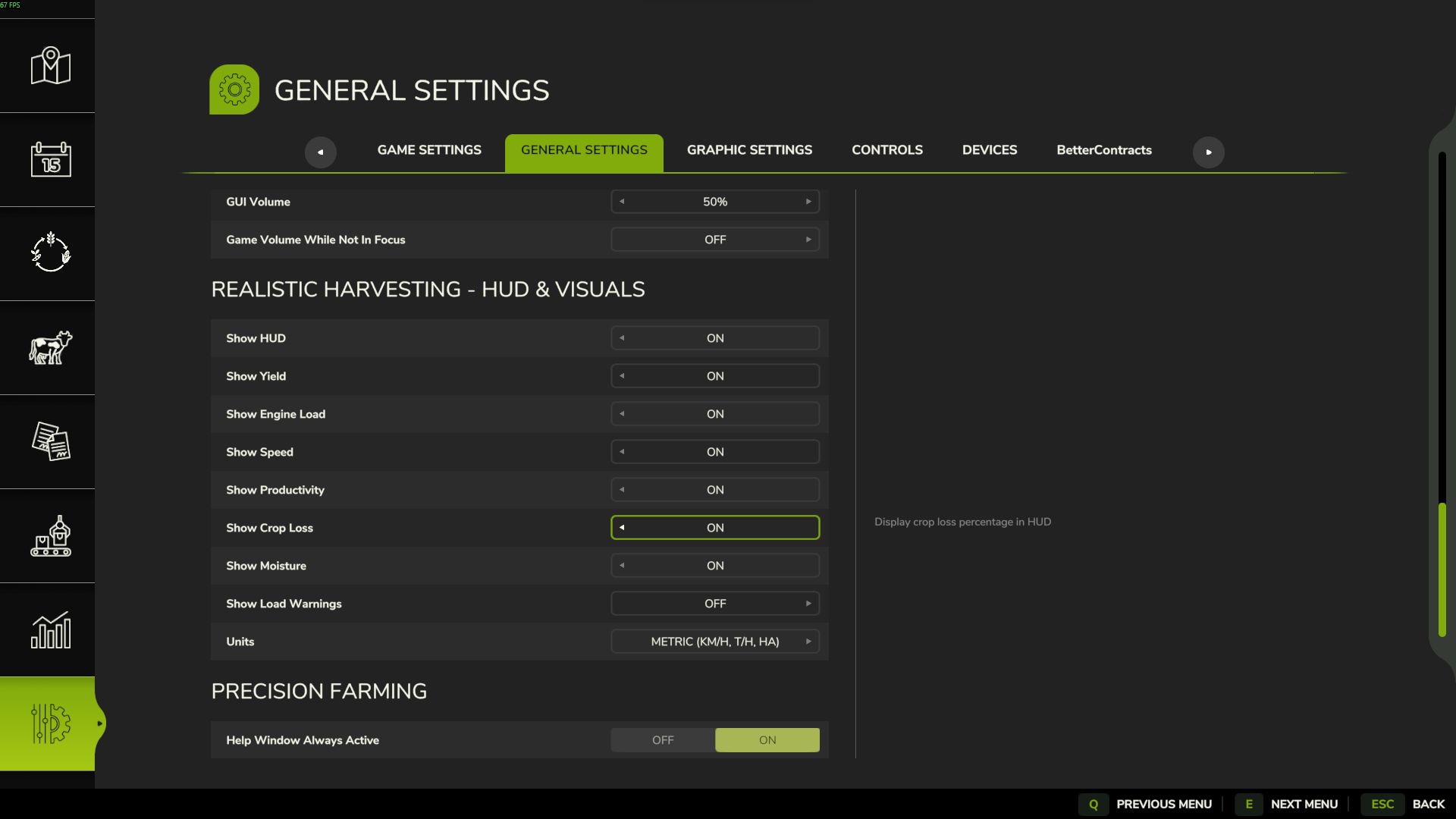
📊 Dynamic Yield & Info HUD: A customizable, draggable display showing real-time Engine Load, Productivity (T/h), Crop Loss %, and Yield (t/ha or bu/ac).
🚜 Physical Crop Loss System: Pushing the combine past 95% engine load or using suboptimal threshing settings will physically reduce the volume of grain entering your bunker. Drive smart, not fast!
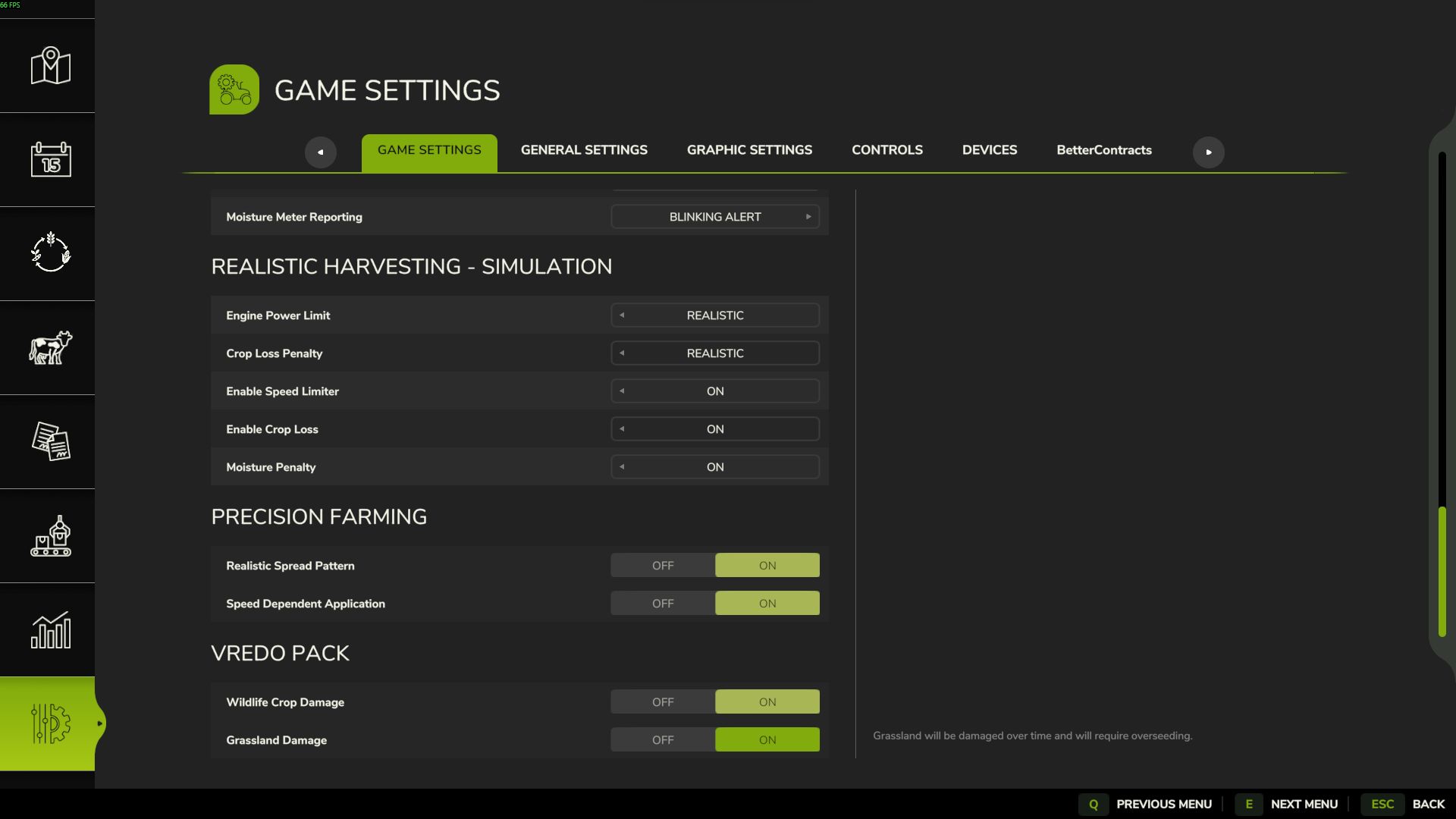
🎮 Difficulty Modes: Choose your playstyle in the game settings (ESC -> settings tab):
- Arcade: Minimal speed restrictions. For relaxed gameplay.
- Normal: Balanced experience. You will feel the weight of heavy crops like corn or wheat, with forgiving loss penalties.
- Realistic: For simulation fans. Speed and crop loss are strictly tied to the combine's physical capacity and your manual calibration settings.
- NEW: "Moisture System" Mod Integration! Added dynamic engine load penalties and increased crop losses when harvesting in damp conditions.
- NEW: Real-time moisture percentage readout integrated into the draggable HUD.
- NEW: Added a new setting to toggle Moisture System integration on/off.
- IMPROVED: "Target Engine Load" Auto-Pilot: Implemented a 2% deadzone to prevent micro-oscillations and deliver a much smoother cruise-control experience across varying crop densities.
- IMPROVED: Calibration GUI: "Target Engine Load" now features a dynamic color-coded progress bar (Green/Yellow/Red) for better visual feedback instead of plain text.
- FIXED: Moisture HUD indicator freezing at its last value instead of resetting to 0% when the combine stops harvesting or reverses.
- FIXED: "Target Engine Load" incorrectly showing as "auto" in the calibration menu.
- NEW: Added diagnostic console command `rhm_inspect` to view real-time harvester performance data in the console and log.txt.
- IMPROVED: Complete overhaul of crop coefficients using a name-based lookup system for higher precision.
- IMPROVED: Distinct separation between Grain Corn and Silage Corn coefficients for realistic harvesting speeds.
- IMPROVED: Balanced Grass and Hay harvesting coefficients for both direct cut and pickup methods.
- IMPROVED: Refined Pickup load multiplier (from 0.25 to 0.45) for grain windrows to provide more realistic engine resistance.
- NEW: Universal "Forage Safety Net" to ensure realistic loads for non-standard or modded crops processed by forage harvesters.
- FIXED: Resolved an issue where forage harvester cutters were not detected correctly due to case-sensitivity in category names.
- Optimized features that could affect FPS
- Fixed several cropping factors
- Updated HUD
- Updated help pages
- Separated server and client settings
- Several minor fixes
- Added a tool to change coefficients in real time (Disabled by default)
- Fix cotton combine
- Replacing combine settings
- Fixed an error that occurs when saving the game
- NEW: Purchasing System! Added functionality to purchase advanced combine calibration settings, adding a new layer of career progression.
- NEW: Completely redesigned the interactive Combine Calibration GUI with new culture selection, interaction improvements, and additional information tabs.
- NEW: Improved draggable HUD displaying harvester performance, including graphical meters for yield and engine load.
- NEW: Added 7 detailed pages to the in-game Help Menu covering all mod mechanics, with unique custom icons and localization for 11 languages.
- NEW: "Crop Loss" translation page added and refined mod descriptions across all supported languages.
- IMPROVED: Revised the core logic of speed dependence on engine load: minimum crop losses now legitimately start at 80% load instead of 100%.
- IMPROVED: Forage harvester load factor is now fully dynamic based on crop density and cutter width.
- IMPROVED: Refactored settings injection mechanism to use safe class-level engine hooks (`InGameMenuSettingsFrame.onFrameOpen`) for maximum compatibility with DLCs (Vredo Pack, Precision Farming, etc.).
- IMPROVED: Global Namespace Refactoring: All internal classes and files were renamed with the `RHM_` prefix to prevent collisions with other third-party mods.
- IMPROVED: Completely rebuilt the mod's debugging architecture. All debug outputs are now strictly gated behind the game's `-devWarnings` flag, keeping the user's `log.txt` perfectly clean by default.
- FIXED: Resolved a critical UI conflict where DLC settings disappeared from the game menu when Realistic Harvesting was active.
- FIXED: Corrected filename capitalization in `main.lua` (`RHM_Combine`, `RHM_Renderer`), resolving the infamous 55% loading screen freeze.
- FIXED: Resolved a bug where changes in the settings menu were not saved correctly or synced to the server due to an invalid callback signature.
- FIXED: Eliminated massive console spam (60 logs per second) caused by "Crop Loss Applied" during harvesting in developer mode.
- FIXED: Corrected XML syntax errors (`<paragraph>` tags) in `modDesc.xml` to ensure the Help Menu text renders perfectly without engine warnings.
- IMPROVED: Optimized the UI layout to use the standard `gameSettingsLayout` for consistent menu positioning.
- IMPROVED: Removed the redundant "Reset" button (X) from the footer as it was causing layout instability with other mods.
- FIXED: Maximum harvesting speed is strictly limited by the base game's header capabilities, preventing root crop harvesters from exceeding realistic speeds.
- FIXED: Addressed network desynchronization issues on dedicated servers where client settings could override server defaults.
- FIXED: Resolved an infinite recursion crash related to saving combine settings on multiplayer servers.
- FIXED: Corrected a memory leak in the engine load and productivity calculation buffers.
- FIXED: Prevented non-admin users from occasionally gaining temporary access to Server Settings.
- IMPROVED: Onion and Carrot throughput factors re-calibrated for more accurate engine load calculations.
- IMPROVED: Removed unnecessary debug output from server synchronization logs to keep console clean.
- FIXED: Server-side settings becoming unlocked for non-admin clients upon reopening the menu.
- FIXED: Menu 'window_grass' localization issue for Grass harvesting.
- IMPROVED: Removed spammy debug logs from engine load calculations.
- IMPROVED: Centralized debug log configuration (RHM_Debug.lua).
- ADDED: Spanish localization for all mod features and menus.
- NEW: Added setting to disable "High Load" HUD warnings.
- IMPROVED: Internal logic cleanup for warning system.
- FIXED: Complete overhaul of Yield Calculation math to perfectly synchronize with Precision Farming HUD and custom map scales.
- FIXED: Forage harvesters (Silage) showing 10x lower yield due to engine volume bugs.
- FIXED: Mathematical desyncs when grain enters the bunker asynchronously from the header cut.
- NEW: Combine settings physics separated into two independent categories: Efficiency (affects processing speed) and Crop Loss (affects wasted grain).
- NEW: Settings Menu HUD redesigned to always display both Speed and Loss impacts simultaneously.
- NEW: Added 'Overload Shield' mechanics - ideal settings now protect against sudden crop density spikes.
- FIXED: Critical bug where perfect combine settings could inadvertently reduce speed to vanilla limits.
- FIXED: Combine failing to accelerate properly when settings were improved mid-harvest.
- FIXED: Resolved duplicate registration of savegame XML paths causing server log errors and settings reset.
- IMPROVED: Forage Harvester throughput calibrated to real-world data (coefficient adjusted from 0.150 to 0.051).
- NEW: Added universal Pickup/Swath header detection with lower engine load multiplier (0.75x).
- NEW: Added automatic fallback mapping for '_WINDROW' and 'CUT_' fillTypes to their base crops.
- IMPROVED: Precision calibration of crop factors and densities based on real-world yield targets (bu/hr).
- NEW: Every crop now uses individual technical presets derived from real-world manuals (20+ crops fine-tuned).
- IMPROVED: Forage harvester logic simplified with a universal 0.75x multiplier.
- IMPROVED: Pickup multiplier refined to 0.35x for balanced windrow harvesting.
- FIXED: Combines no longer accelerate past vanilla working speeds when header is idle (no crop).
- FIXED: Removed initial speed limit jump when lowering the header.
- IMPROVED: Robust detection system for forage harvesters and headers.
- IMPROVED: Speed limit strictly capped at vanilla game limits (removed artificial 1.5x bonus).
- IMPROVED: Recalibrated crop factors for Oat (+25%), Maize (-50%), Soybean (-20%), and Cotton (2x).
- IMPROVED: Significant load reduction for root crops (Potato, Carrot, Parsnip, Onion).
- FIXED: Speed limit "reset loop" at 9.9 km/h during continuous harvesting.
- FIXED: Broadened root crop pickup exception to ensure realistic load for Onion and Carrot.
- ADDED: Support for ONION_DIRTY and MEADOW fill types.
- FIXED: Game crash ("attempt to call missing method 'getIsControlled'") when using equipment from DLC packs (e.g. Highland DLC NH 8040 with Holaras tools). Added safe nil check for the method.
- FIXED: Courseplay second combine getting stuck at 10 km/h. Removed incorrect movingDirection check from getSpeedLimit() and added guard so Courseplay speed limit only applies when cutter is actually working.
- FIXED: AUTO mode settings resetting to 50 on dedicated servers. AUTO mode now registers as pending if crop not yet detected and applies automatically on first harvest.
- FIXED: Combine Settings menu (RShift+K) not opening and closing immediately when using NEXAT modular system.
- FIXED: Potential game crash with missing 'getAIFieldWorkerIsTurning' method on custom vehicles.
- NEW: Added compatibility with "HUD Hider" mods (HUD aligns with game visibility).
- FIXED: Productivity (T/h) calculation bug causing sudden jumps.
- FIXED: GUI closing unexpectedly during gameplay.
- NEW: Interactive Combine Settings & Calibration Menu (RShift + K).
- NEW: Manual Control Mode - Adjust Fan, Rotor, Sieves, and Feeder.
- NEW: Incorrect settings cause additional Crop Loss (displayed in GUI).
- NEW: Profile System - Save/Load custom settings for each crop.
- NEW: New crops start with neutral (50%) settings, requiring calibration.
- NEW: Crop Loss display now shows +/- signs (- for losses, + for bonuses, 0 for optimal).
- NEW: Manual adjustment buttons (+/-) always visible in Calibration GUI for easier tuning.
- FIXED: Camera rotation properly blocked when cursor is active (HUD drag/GUI interaction).
- FIXED: HUD resetting to off-screen positions. Added auto-fix and reset command.
- IMPROVED: Input blocking now uses proper camera.isRotatable method.
- IMPROVED: GUI hint text repositioned to prevent overlap with buttons.
- NEW: AUTO mode now applies slight random imperfection (1-10 units) - skilled manual tuning can outperform AUTO!
- NEW: Same loss math for AUTO and MANUAL modes - no more zero-loss bypass in AUTO.
- FIXED: Combine settings now correctly saved and loaded from savegame (vehicles.xml).
- FIXED: profileCount cache correctly restored after loading savegame.
- FIXED: Auto crop detection now server-side only - prevents random value desync in multiplayer.
- IMPROVED: All mod settings (server + client) now stored in modSettings/ folder.
- IMPROVED: Dedicated server fully supported - each vehicle retains its own calibration profile.
- Physical crop loss system! Losses now reduce the actual amount of grain collected in the hopper. (Still in beta, may experience critical issues. Can be disabled in settings)
- Crop losses start at 95% engine load (was 100%).
- Progressive loss formula - higher overload = exponentially higher losses.
- Loss penalties now directly affect yield for more realistic gameplay.
- Settings menu reorganized into "Modeling" and "User Interface and Visual Effects".
- Draggable UI! Right-click to toggle the cursor, then drag the UI to move it. (May cause issues with mods that use the same hotkeys, change the hotkey in settings to prevent this).
- Independent harvester control (optional).
- Interface metrics now instantly reset when the cutter is raised/stopped.
- Customizable interface content (toggling individual elements).
Fixed
- Settings Persistence: Fixed bug where difficulty settings (Motor/Loss) were not saving correctly between game sessions
- Settings Storage: Moved settings to modSettings directory for better global persistence across save games
- Yield Monitor: Fixed yield display showing incorrect values (now accurate ±5% with realistic noise)
- Throughput Indicator: Fixed T/h (tons per hour) indicator - now functional and displays real-time harvesting rate
- HUD Position: Adjusted HUD placement to be slightly higher on the screen for better visibility
- Nexat Compatibility: Fixed HUD not displaying correctly when using Nexat modular harvester system
- Cutter Detection: Improved detection of when header is actually working vs just attached (prevents speed limits when header is raised)
Changed
- Mass-Based Calculation: Engine load now based on actual harvested mass instead of theoretical crop area
- Conservative Start: Added 7 km/h initial speed limit when starting to harvest (prevents immediate overload)
- Crop Factors: Rebalanced difficulty factors for various crops based on real-world harvesting speeds
- Performance: Optimized load calculations for smoother gameplay
- Fixed productivity calculation displaying incorrect values (was 1000x too low)
- Improved accuracy of mass-to-volume conversion using actual crop density
- Fixed GitHub issues #1 and #3
- Added support for Cotton Harvesters
- Added partial support for Forage Harvesters
- Fixed Multiplayer Synchronization issues
- Fixed settings menu conflict with other mods
- Improved Unit System display (Imperial/Metric)
- **New feature:** Added "Reset settings" button to the footer of the settings menu (key: X).
- **UX improvements:** Added side descriptions for all settings in the menu (tooltips).
- **Localization:** Full translation support for 10 languages (EN, DE, FR, PL, ES, IT, CZ, PT-BR, UK, RU).
- **Bug fixes:** Improved stability of the settings menu.