
FS25 Script Guide – RIOS Water to SPLINES
(Creating a river using a spline in Farming Simulator 25 via GIANTS Editor)
Purpose of the script
The FS25 – RIOS COM SPLINES script is designed to quickly create a river using a spline without manual modeling in Blender.
It automatically:
creates a water surface
applies wave animation
aligns to the relief
sets the depth
adjusts the flow
Ideal for maps like “Dubrovka Village” with natural landscapes.
2️⃣ Preparation before launch
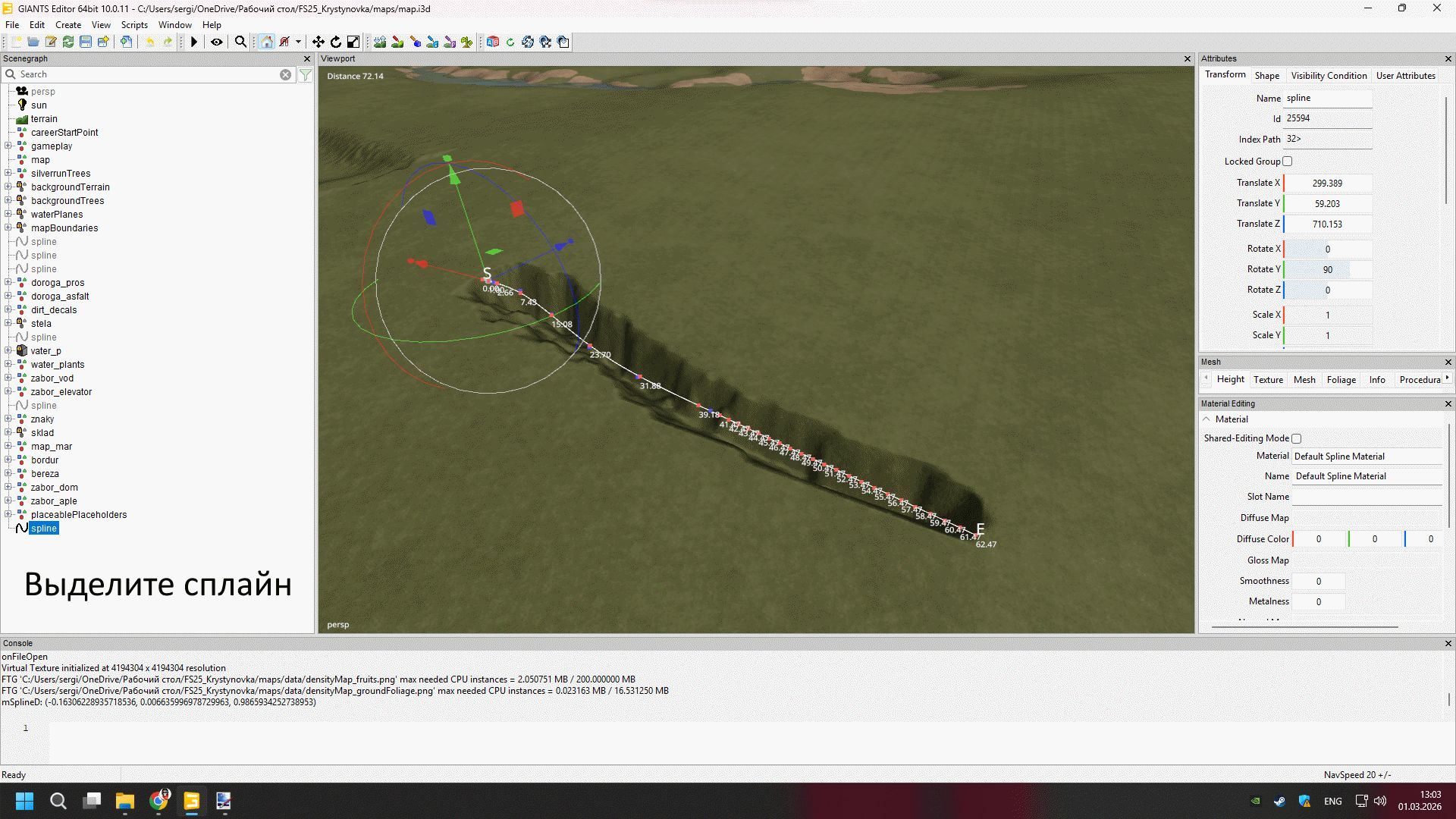
✅ Step 1 - Creating a spline
Open the map in GIANTS Editor
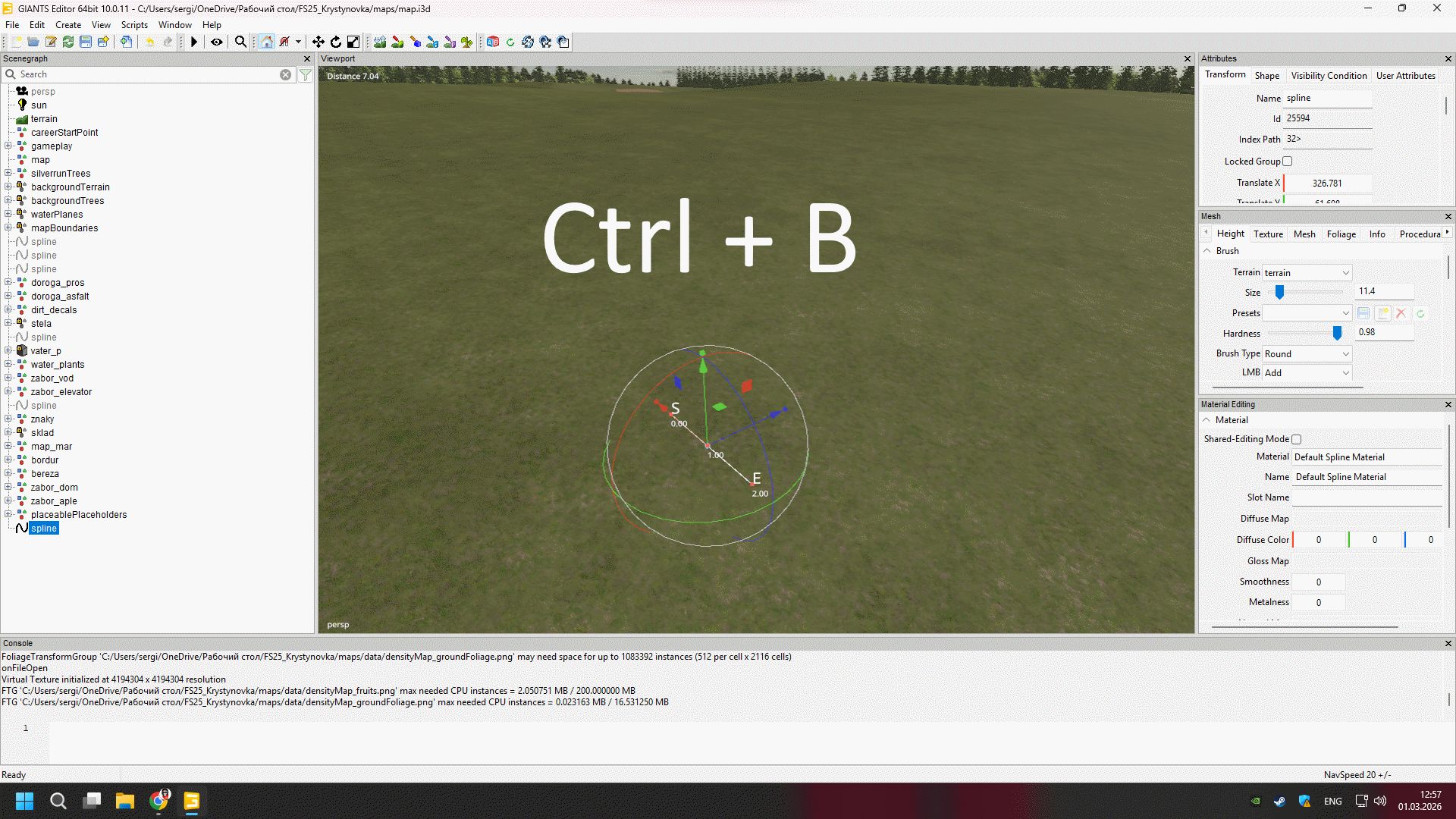
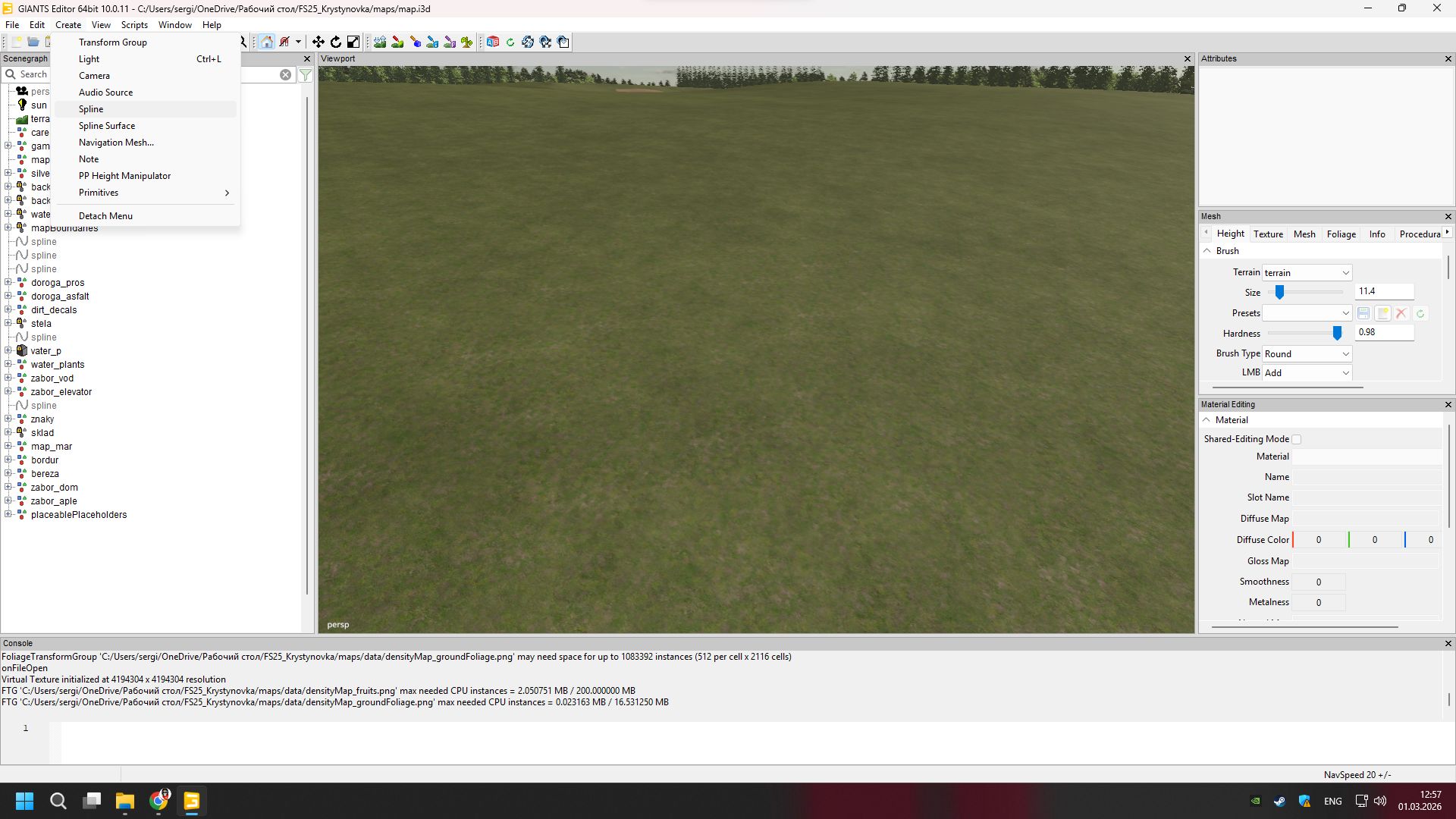
Create a new Spline
Lay it along the trajectory of the future river
Edit the points (so the bends are smooth)
💡 Important:
The spline must be selected before generation
The starting point determines the direction of the flow
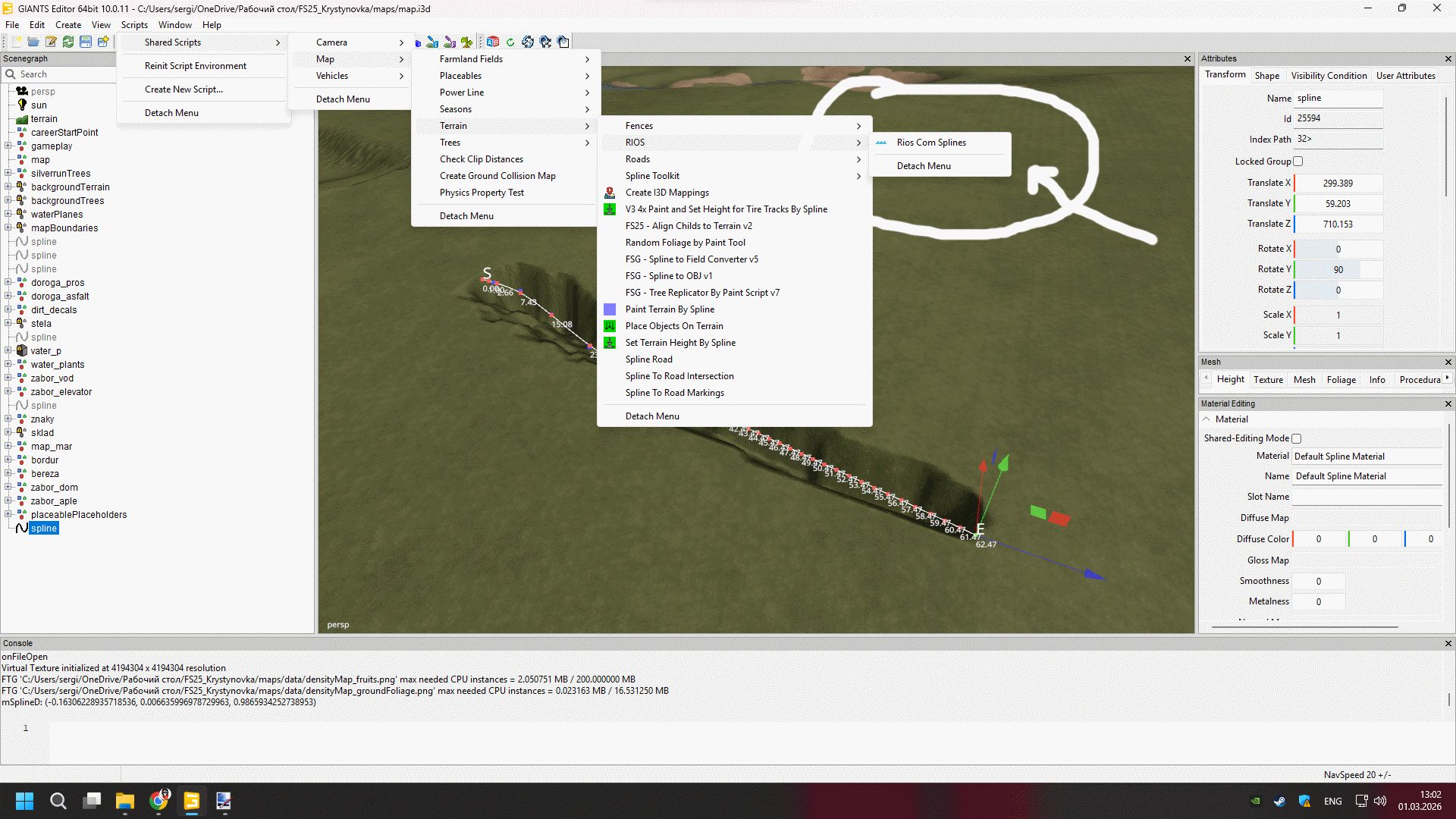
3️⃣ Run the script
Open the Scripts menu
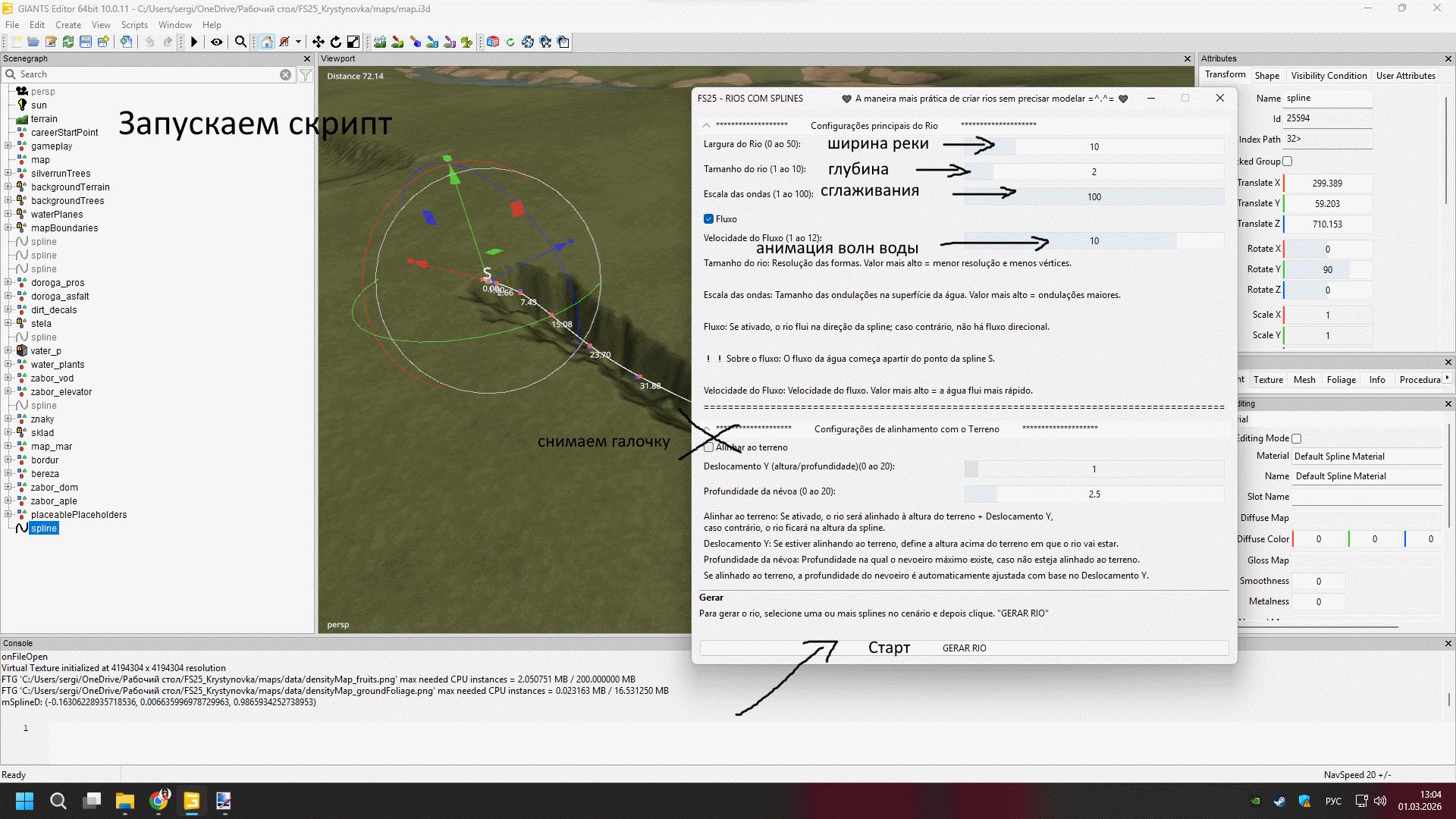
Select FS25 – RIOS COM SPLINES
The settings window will appear
4️⃣ Basic river settings
🔹 Width of the river (Largura do Rio)
Range: 0 – 50
Determines the width of the water surface.
5–10 → small river
15–25 → medium river
30+ → large river
🔹 Depth (Tamanho do rio)
Range: 1 – 10
Determines the depth of the recess.
1–3 → small river
4–6 → normal depth
7–10 → deep river
🔹 Smoothing (Escala das ondas)
Range: 1 – 100
Responsible for the smoothness of the shape.
Smaller value → more polygons
More value → simpler geometry
💡 For performance, set it to 80–100.
5️⃣ Water animation
✅ “Fluxo” checkbox
Turns on the flow of water.
If enabled, water flows in the direction of the spline.
🔹 Current speed (Velocidade do Fluxo)
Range: 1 – 12
2–4 → calm water
5–8 → moderate course
9–12 → fast current
🔹 Wave size
The higher the value, the larger the waves.
For a realistic river:
5–10 → calm
15+ → noticeable waves
6️⃣ Relief alignment
✅ Tick “Alinhar ao terreno”
If enabled, the river automatically adjusts to the height of the terrain.
🔹 Offset Y (Deslocamento Y)
Range: 0 – 20
Adjusts the height of the water relative to the ground.
Positive value → water higher
Negative → lower
🔹 Depth of excavation (Profundidade da neva)
Determines how much the script lowers the riverbed.
💡 Usually 2-4 is enough.
7️⃣ River generation
After setup:
Select spline
Click GERAR RIO
Wait for it to finish
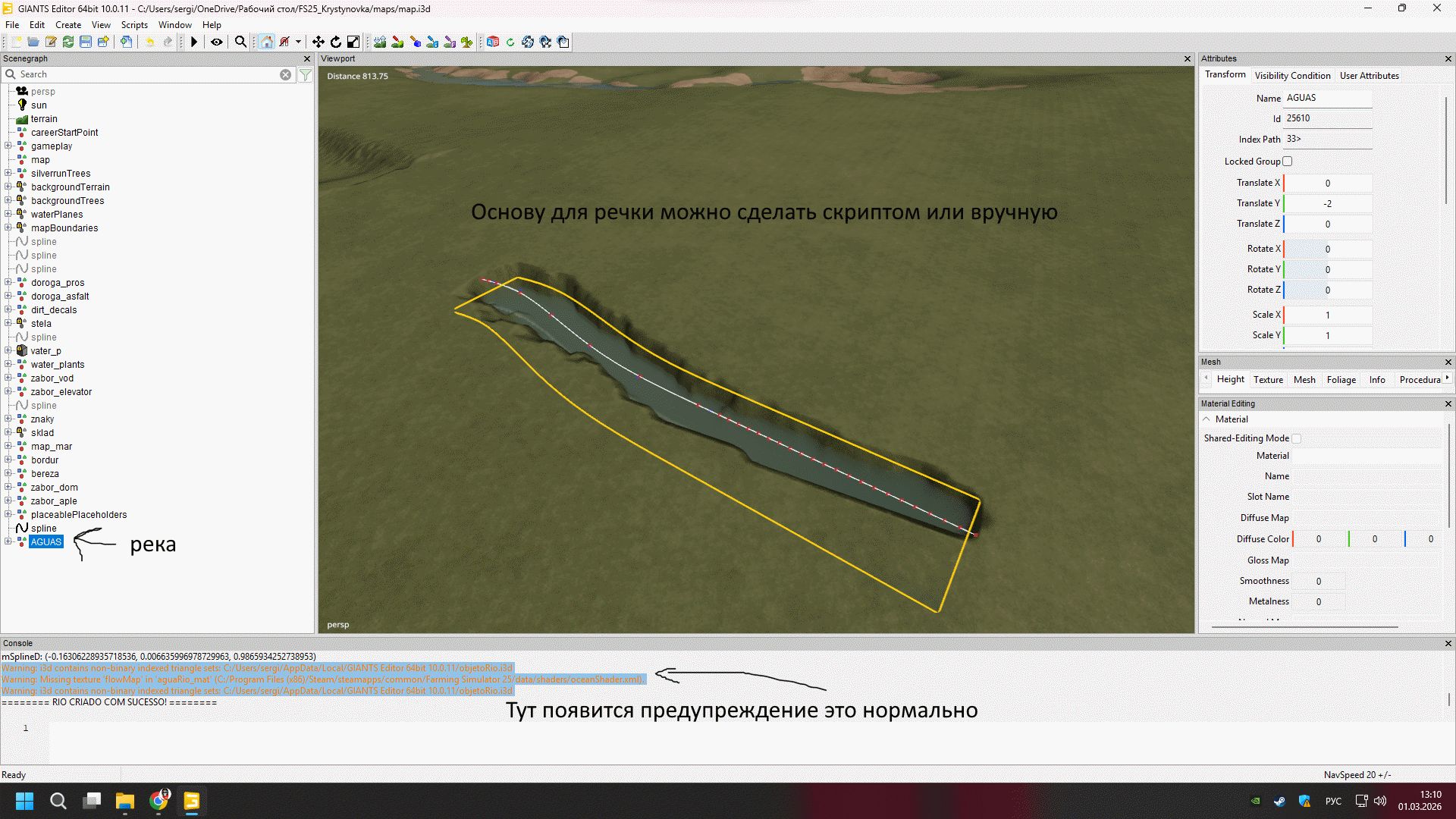
The river will appear in the scene automatically.
8️⃣ Recommended settings for a realistic map
For a map in the style of central Russia:
Width: 12–18
Depth: 4
Smoothing: 90
Current speed: 4
Recess depth: 3
9️⃣ Possible problems and solutions
❌ The river hangs in the air
✔ Enable “Align to terrain”
✔ Check out Deslocamento Y
❌ Water is not animated
✔ Check the “Fluxo” checkbox
✔ Make sure the water material is correct
❌ The edge of the river looks like Tetris
✔ Decrease the smoothing value
✔ Increase spline density
🔟 Tips for professional results
Make more spline points on turns
After generation, you can manually edit the terrainAdd decor: stones, reeds, dirt
Don't make the river perfectly straight
🎯 Summary
The FS25 – RIOS COM SPLINES script allows you to:
✔ Quickly create realistic rivers
✔ Adjust depth and flow
✔ Automatically align to terrain
✔ Save time compared to manual modeling