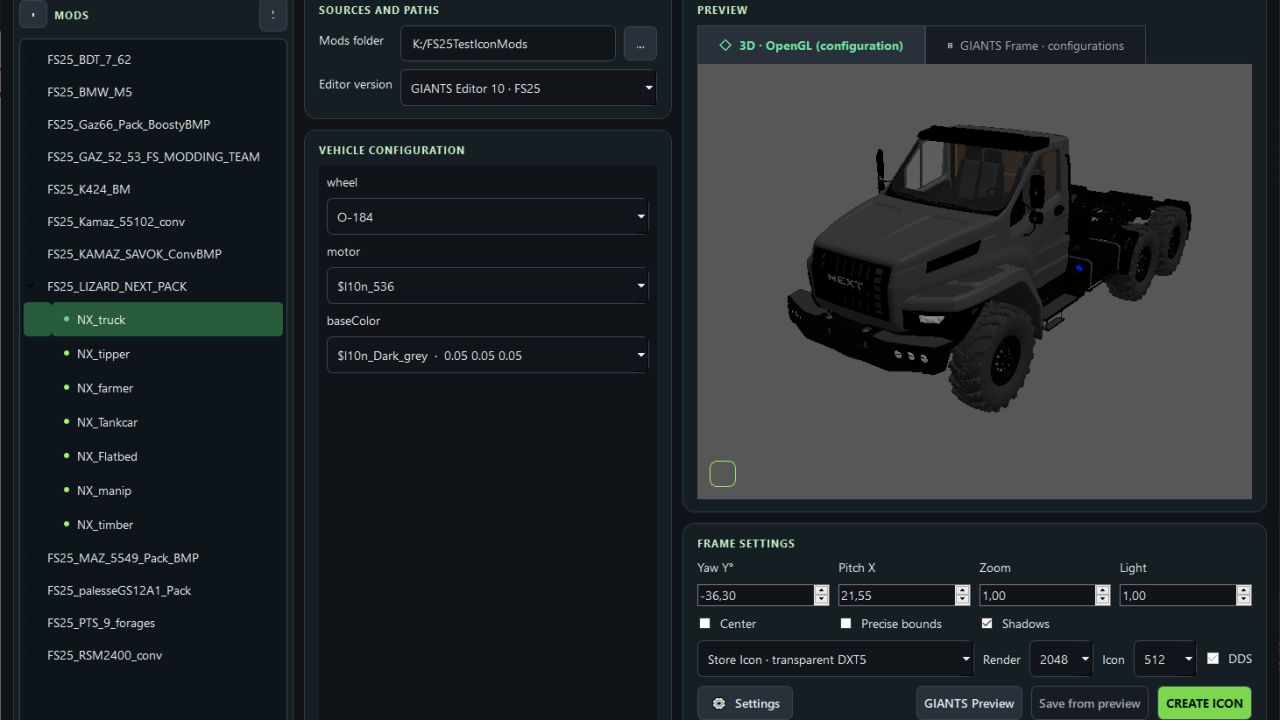

FS Icon Studio — a Windows utility that combines vehicle selection, equipment configuration, 3D preview and ready-to-use icon creation in one window. It helps prepare images for the in-game store and a mod cover: choose the required wheels and color, set the camera angle, check the result and save it as PNG or DDS.
Features
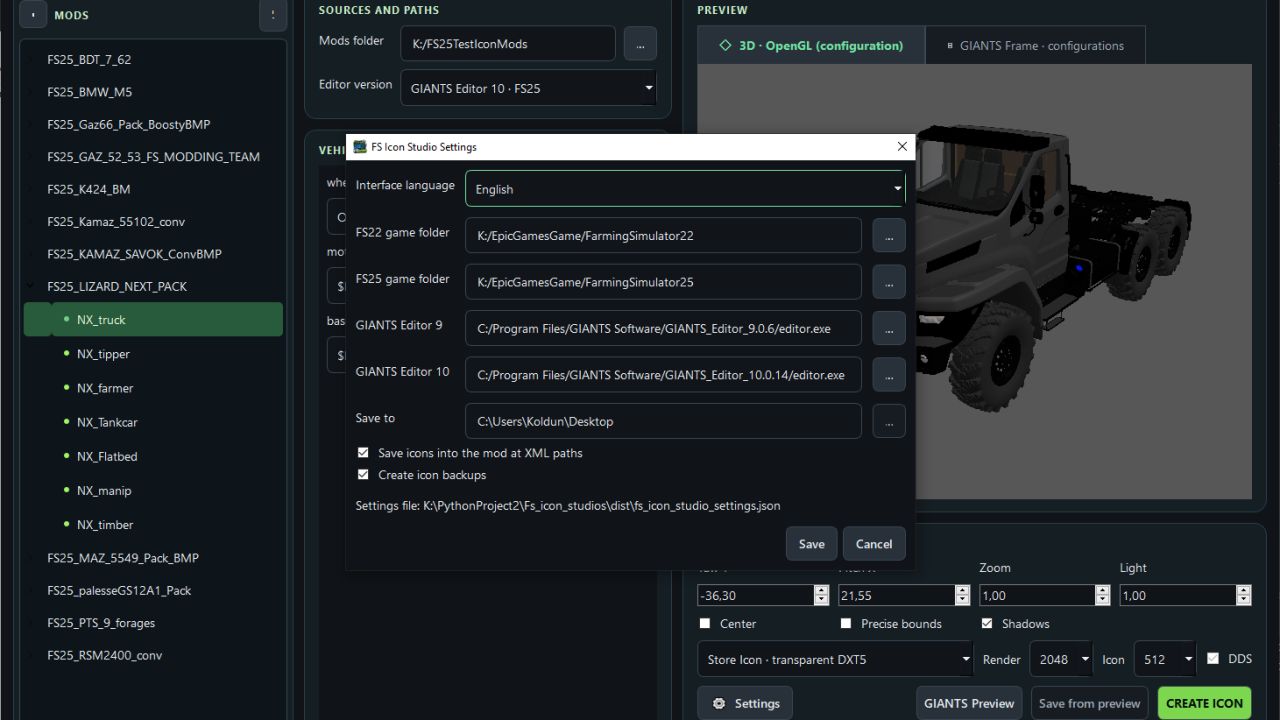
- FS22 and FS25 in one application. Separate path settings for the games and GIANTS Editor 9 and 10, with switching between versions.
- Convenient mod list. Unpacked mods are displayed as a tree with store items. If a mod has no storeItems list, the program suggests the discovered I3D models.
- Interactive 3D preview. Adjust the camera angle and check supported configurations without launching GIANTS Editor after every change.
- Equipment selection. Colors, wheels, variants and part visibility from the mod XML. For foldable vehicles, you can choose the folded or unfolded position.
- Frame settings. Rotation, tilt, scale, lighting, shadows and automatic model centering. (By rotating the 3D model in space.)
- Rendering through GIANTS Editor. A separate tab displays the frame created with GIANTS tools, using materials and configurations loaded from the game.
- Two icon types. Store Icon with a transparent background and Mod Icon with a built-in ModHub background.
- PNG and DDS export. Store Icon uses DDS DXT5 with transparency, while Mod Icon uses DXT1. Render resolution is up to 2048 × 2048; the finished icon size ranges from 128 × 128 to 1024 × 1024.
- Save directly to the mod. The program uses the icon names and paths from the XML. When replacing files, it can automatically create backups.
- Save the finished preview. A successful GIANTS frame can be exported without launching the editor again.
- Settings memory. Paths, selected configurations, frame parameters and export settings are saved between launches.
The interface is available in Russian and English.
How does FS Icon Studio differ from GIANTS Icon Generator?
The official GIANTS Icon Generator is intended for creating mod icons using GIANTS tools. FS Icon Studio uses the same approach for the final render and adds its own workspace for preparing the image.
The main difference is two preview stages in one window. First, you select the equipment configuration and camera angle in the interactive OpenGL preview. Then you launch a GIANTS frame to check the materials and final appearance before saving. The Editor is launched on your command.
Configuration selection and frame adjustment are also available in the official generator. (Though by entering values.) The studio’s advantage lies in its workflow: the equipment configuration is displayed next to the model, mods and items are available in a tree, FS22 and FS25 are combined in one interface, and the finished frame can be saved without rendering again. Additional convenience comes from reading paths from the XML, backups and saving settings between sessions.
The program works with unpacked mods. For the final render, the corresponding installed game and GIANTS Editor are required: version 9 for FS22 or 10 for FS25. The OpenGL preview is intended for preparing the composition; complex shaders and scripted vehicle features should be checked in the “GIANTS Frame” tab.
- Added language selection to the settings
- Added a Save button in the preview. (In this case, there is no need to wait for giantEditor to load a second time)
- Added a checkbox to the settings to choose whether to save icon backups