
Custom Trigger Creator lets you build fully functional triggers directly inside Farming Simulator 25 — no XML editing or Lua scripting required.
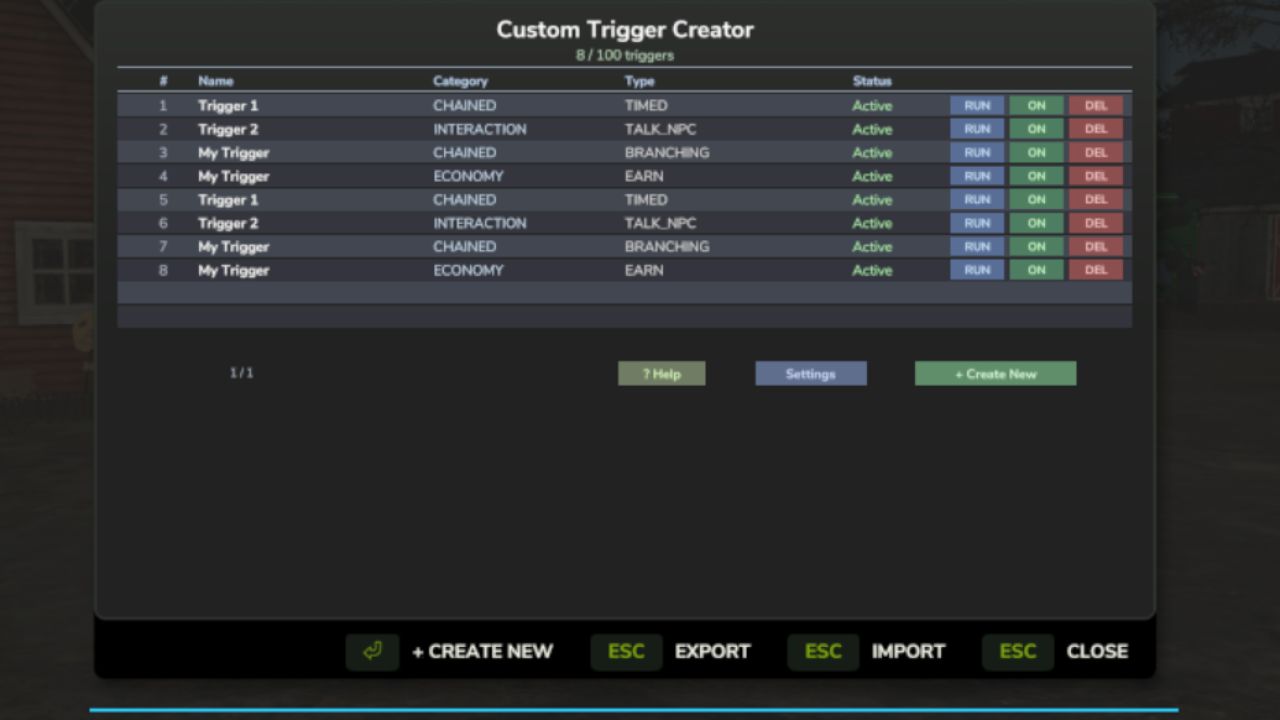
Using an easy step-by-step in-game wizard, you can create triggers for things like buying or selling items, paying fees, showing notifications, running events, or creating multi-step trigger chains. Everything is configured from a simple menu opened with F8.
Triggers support conditions, cooldowns, confirmations, probability checks, and persistent saves, making it easy to design custom interactions for your farm or multiplayer server.
Perfect for players who want more interactive gameplay without touching code.
Features:
* In-game trigger creation wizard
* Economy, interaction, notification, and conditional triggers
* Chained multi-step triggers
* HUD notification system
* Export / import trigger configs
* Works in singleplayer and multiplayer
Create the triggers your farm needs — in minutes.
-> https://github.com/TheCodingDad-TisonK/FS25_CustomTriggerCreator
Full changelog -> https://github.com/TheCodingDad-TisonK/FS25_CustomTriggerCreator/releases/tag/v1.1.0.0
Minor changes:
- Wizard Back button can no longer navigate below step 2 with rapid tapping
- Conditional trigger error messages are clearer when the trigger executor isn't ready yet
- Money deltas are floored to integers before network transmission
Economy triggers (pay zones, barter exchanges) were adding money directly on whichever machine triggered them — in multiplayer this meant only the player who walked into the zone saw the money, nobody else did. This hotfix routes all money transactions through the server.
What's fixed:
- Money earned from trigger zones now correctly applies for all players in multiplayer and on dedicated servers
- Barter/exchange triggers work correctly in all session types
No save migration needed.
- Several bugs fixed
- Removed HotspotMapIcon
Text Fields Fixed, Dialog Polish & Compatibility
After a full testing round, several issues were discovered that made the trigger builder frustrating to use — text fields appeared empty while typing, mouse behavior could glitch, and the Help dialog was cramped and difficult to read. This update resolves those issues and improves compatibility with other mods.
Fixes & Improvements
* Typing in any field (trigger name, message, etc.) now displays text immediately — this issue had been present since launch
* Mouse behavior no longer glitches while using the builder wizard
* Compatibility fix: if you use the FarmTablet mod, pressing T while typing will no longer open the tablet and steal mouse control
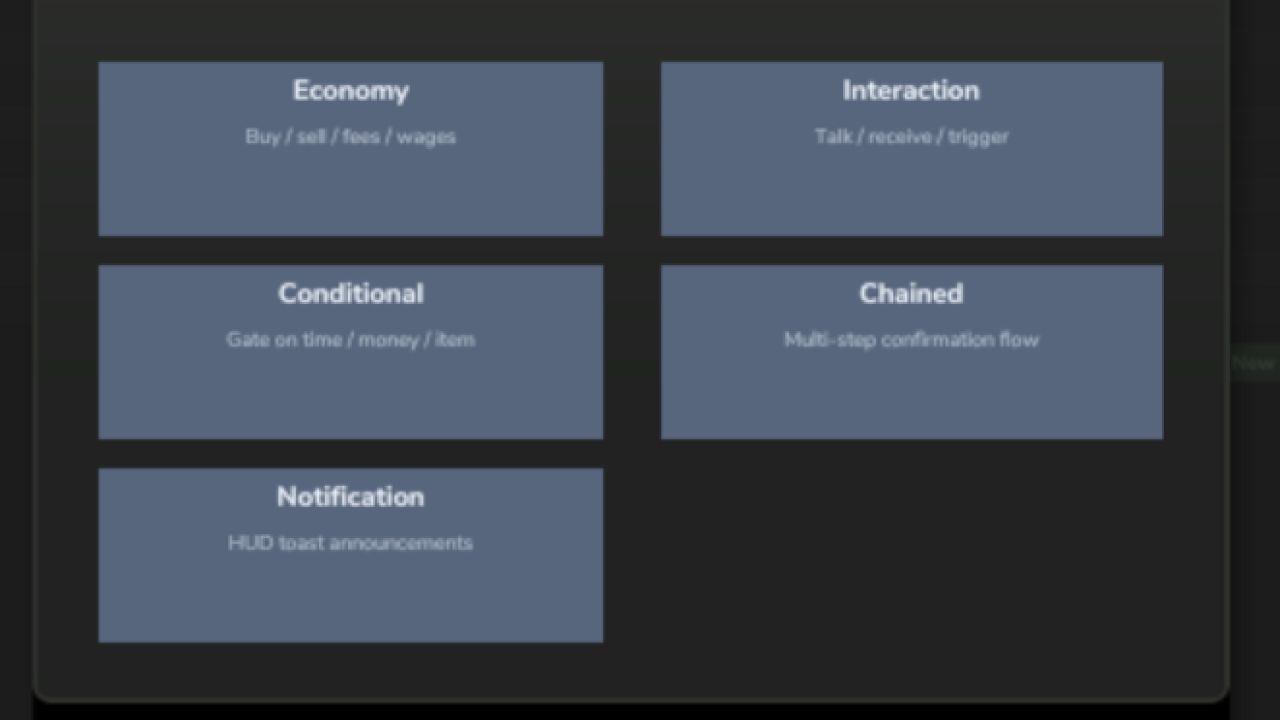
* The Help button now opens a proper reference panel showing all trigger types and how to use them instead of a cramped pop-up
* The floating name label above world triggers now appears clearly above the marker icon instead of overlapping with it
Save Compatibility
No migration required — existing saves and triggers load normally.
Previous Updates (Quick Overview)
v1.0.4.0 — Bug Fixes & Stability
* Fixed an error that spammed logs every few seconds while the builder was open
* Fixed the Help button throwing an error when clicked
* Improved stability across trigger builder steps
v1.0.3.0 — Management Panel Overhaul
* Trigger list now supports pagination (10 triggers per page with Prev/Next)
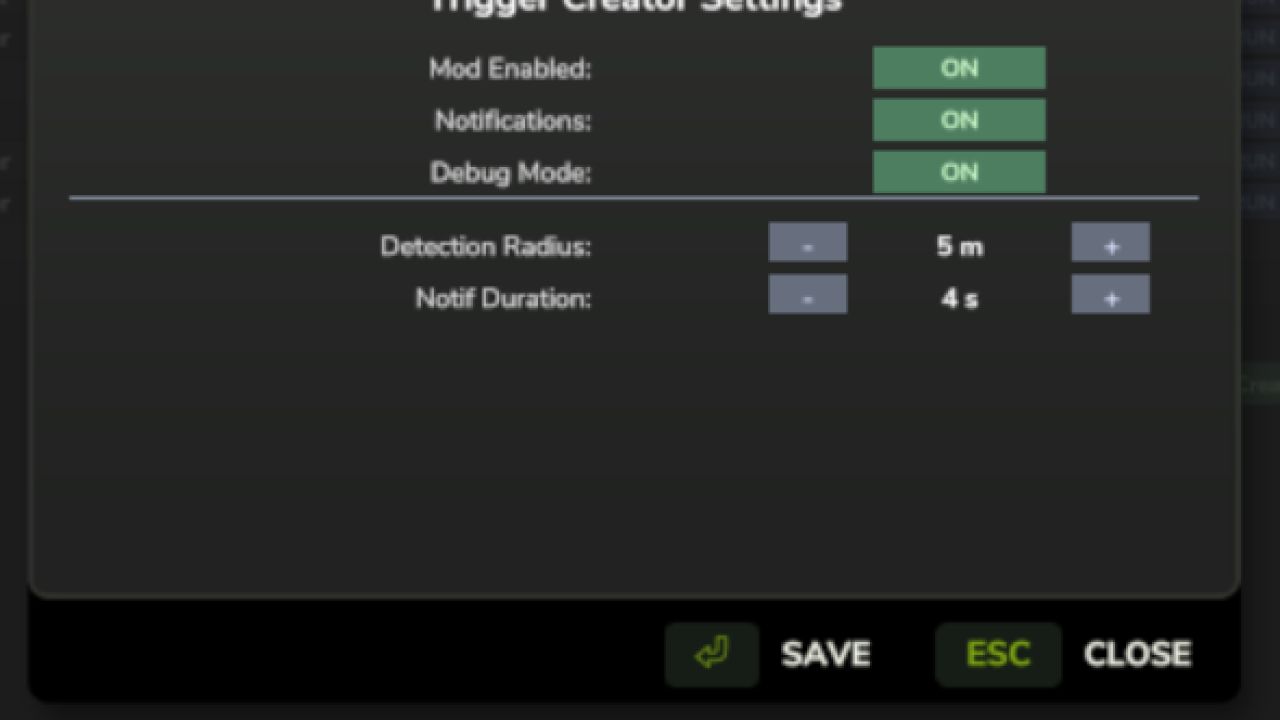
* Added Settings button for mod options (notifications, debug mode, detection radius)
* Added Help button with trigger type reference
* Export and Import buttons now work correctly from the main panel
* Fixed the Create New button also closing the dialog unexpectedly
* Prevented F8 from opening the creator when another dialog was already open
v1.0.2.0 — Walk-Up Triggers & World Markers
* Triggers can now be activated by walking up to them and pressing E
* Added floating 3D marker icon above trigger locations
* Trigger names display above nearby triggers on screen
* Trigger locations appear on the minimap
* Triggers and settings are now saved and restored when reloading the farm
Save Compatibility Note (v1.0.2.0)
Triggers created before this version do not have a world position and will not appear in the world. They must be recreated to use the new system.
Triggers Now Work in the World
Triggers you created were losing all their settings every time you loaded a save — amounts, messages, cooldowns, everything gone. That's fixed.
This update also adds the in-world interaction system that was always planned: walk up to a trigger and press E to activate it, just like a shop or NPC.
What's new / fixed:
• Trigger settings (amounts, messages, cooldowns) now save and load correctly • Placing a trigger marks your current position — walk up to it and press E to activate • Trigger icon appears on the minimap so you can find your triggers on the map • Chained triggers can now have their Step 1 and Step 2 messages configured in the wizard
• Deleting a trigger now also removes its map marker and interaction zone
No save migration needed — existing saves will load fine.