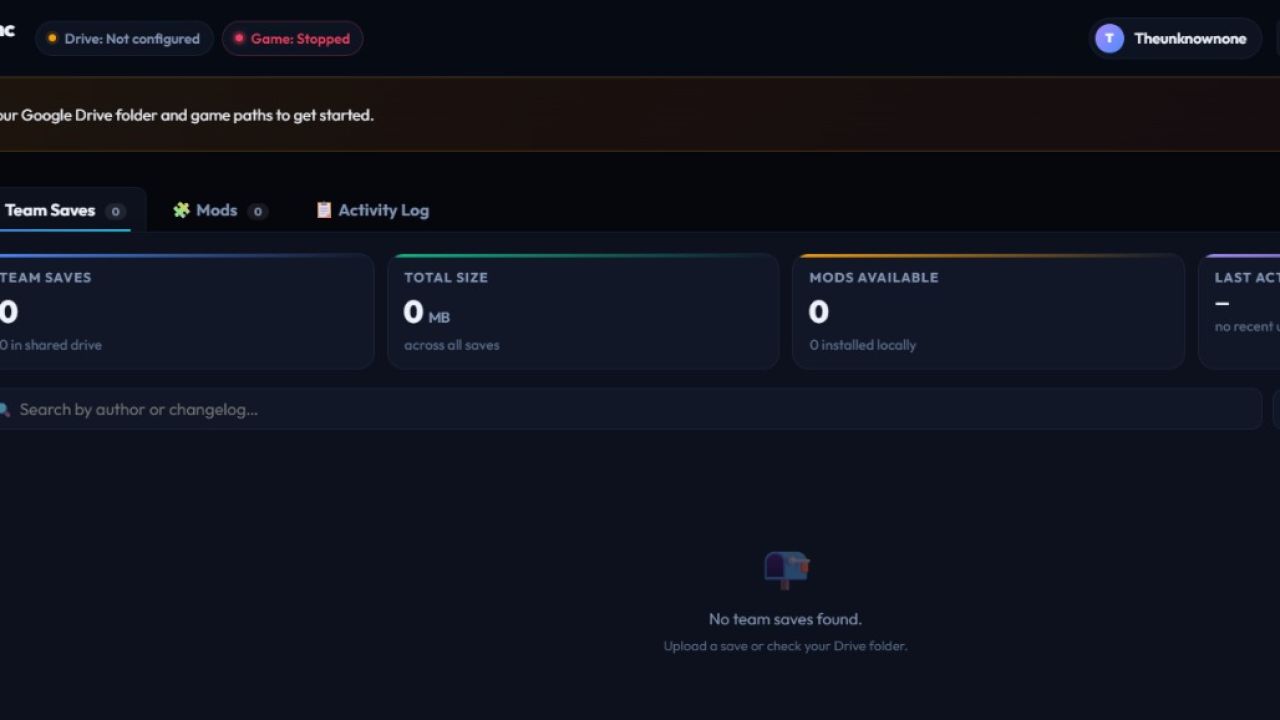

## 🚀 NEW RELEASE: Farming Simulator Team Sync v2.2 🚜
Tired of paying for a 24/7 dedicated server just to play with your crew? **Farming Simulator Team Sync** is a **ready-to-run desktop app (`.exe`)** that lets your team share the exact same farm for **FREE**! 🎉
It acts like a digital relay race using your favorite cloud drive (Google Drive, OneDrive, or Dropbox). When you finish your farming shift, upload your progress. When your buddy logs on, they restore it with a single click and take over right where you left off!
**No configurations, no coding, and absolutely NO Python required!** Just download, run, and get to work! 🌾
***
### 🌟 FULL INTERACTIVE FEATURES 🌟
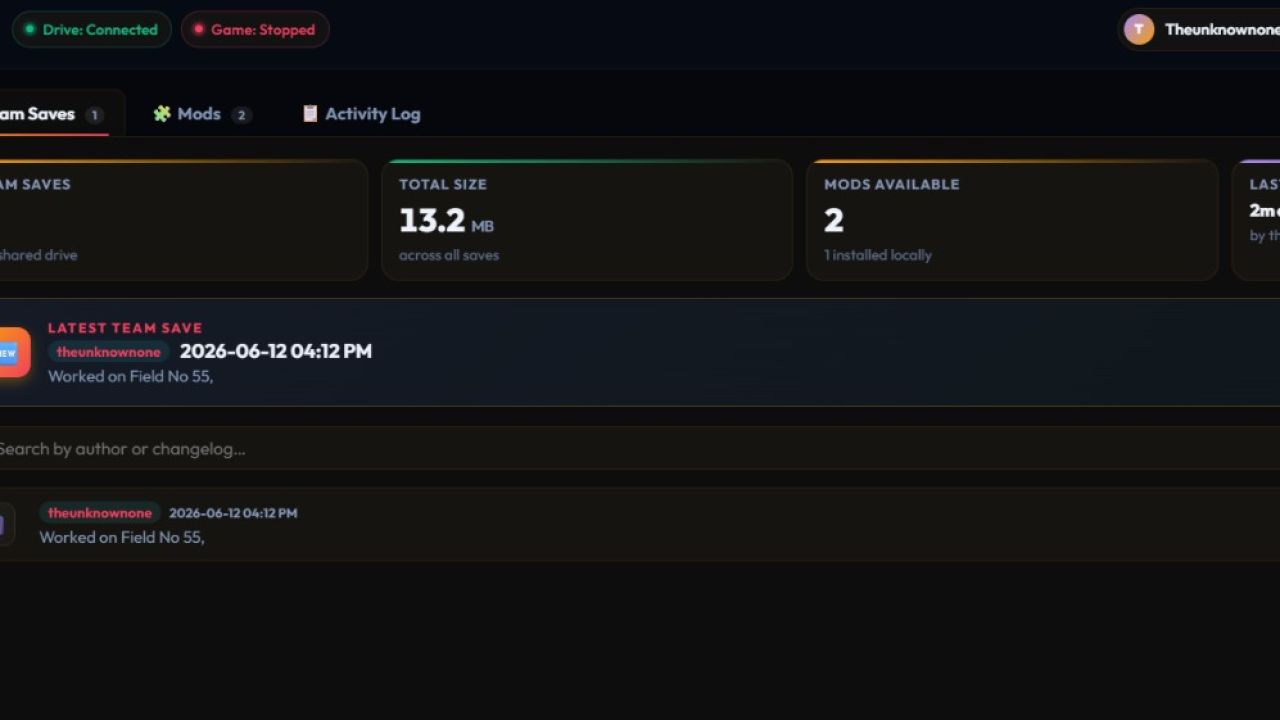
#### 📊 **Your Virtual Farm Dashboard**
* 🌾 **Dual-Game Support:** Fully optimized to support both **Farming Simulator 22** AND **Farming Simulator 25** seamlessly! Switch between games with a single click.
* ✨ **Slick Glassmorphism UI:** A stunning, modern dark-mode desktop interface featuring real-time stat counters for your saves, mod counts, and cloud utilization.
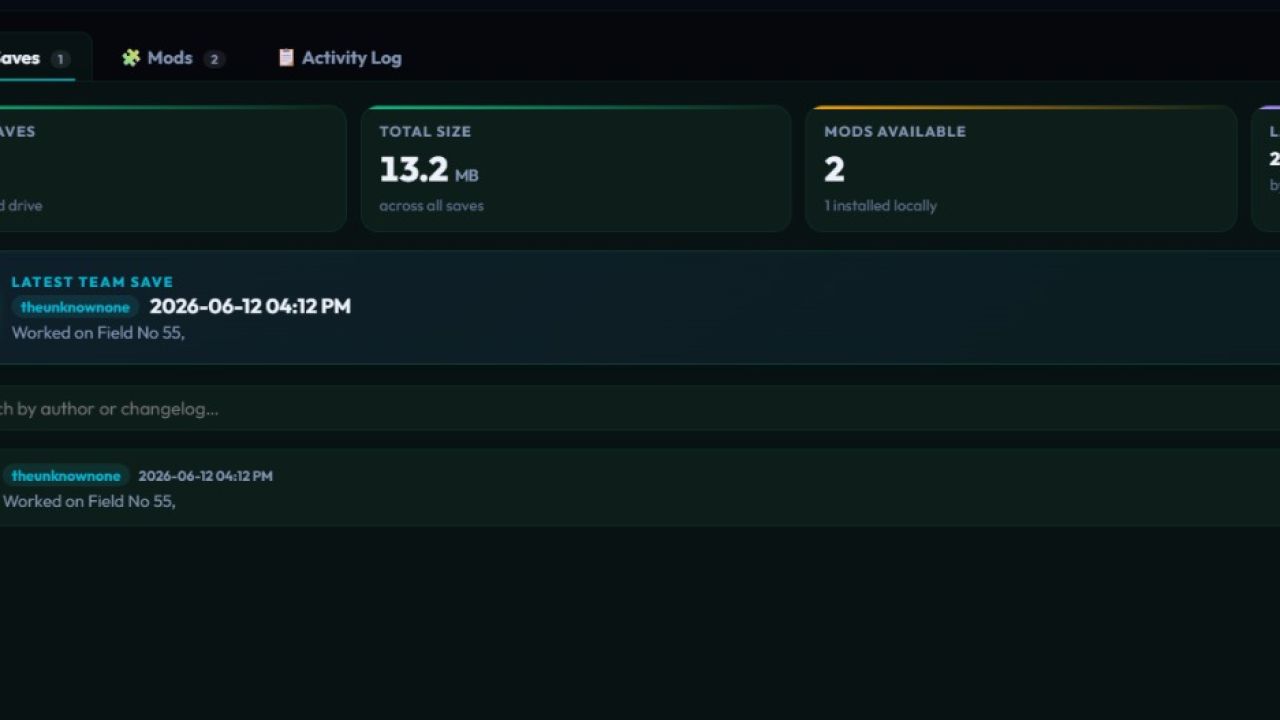
* 🔥 **"Latest Save" Hero Card:** The absolute newest team save file is always pinned right at the top with a massive **"Restore Latest"** quick action button.
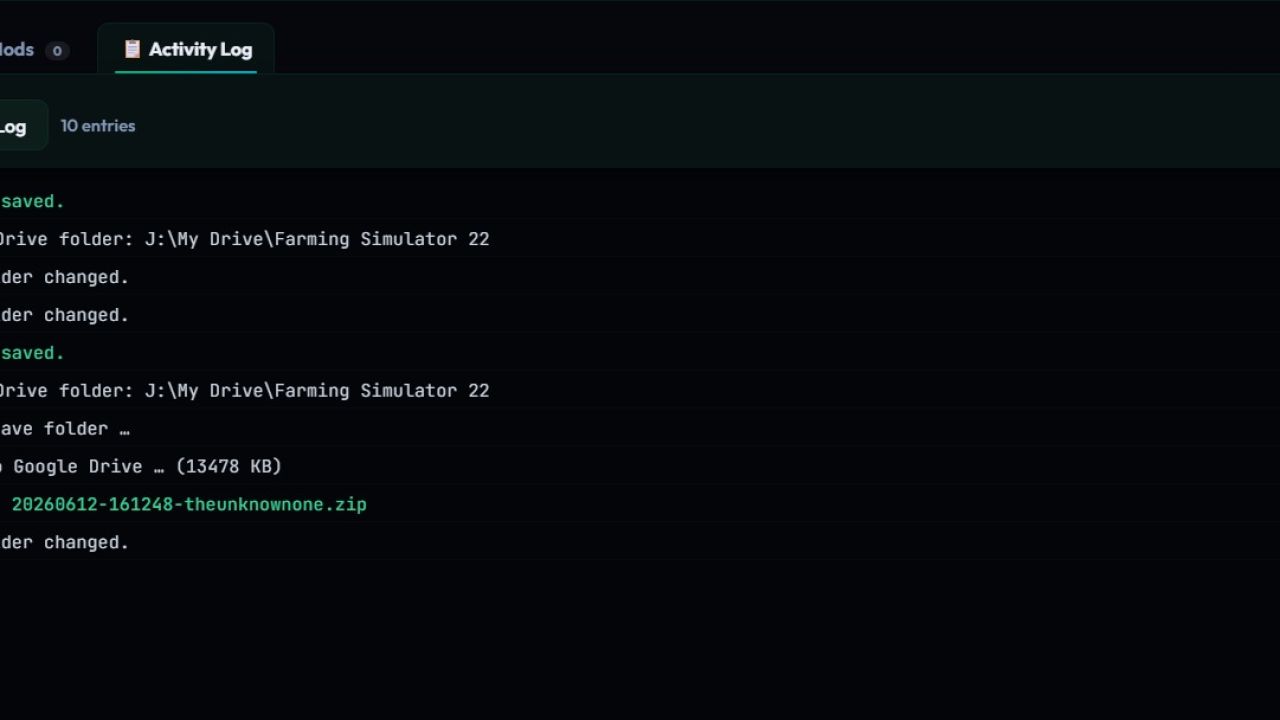
* 💻 **Active Terminal Log:** A live, scrolling feed at the bottom of your screen that shows you exactly what the app is doing in real-time (successes, syncs, and file transfers).
#### 🚜 **Crew Management & Roles**
* 👑 **Custom Role Maker:** Hand out unique titles to your friends with custom emojis! Make someone the **🛠️ Chief Mechanic**, **🌾 Crop Manager**, or **🚜 Heavy Equipment Driver**.
* 👥 **Roster Registry:** Easily add, modify, or remove players from the active team list directly from the settings console.
* 📂 **Shared Folder Init:** Start a brand new team from scratch! The app will automatically build the entire folder framework (`/saves`, `/mods`) in your shared cloud drive with one click.
#### ⚡ **One-Click Automation (No Brainpower Required)**
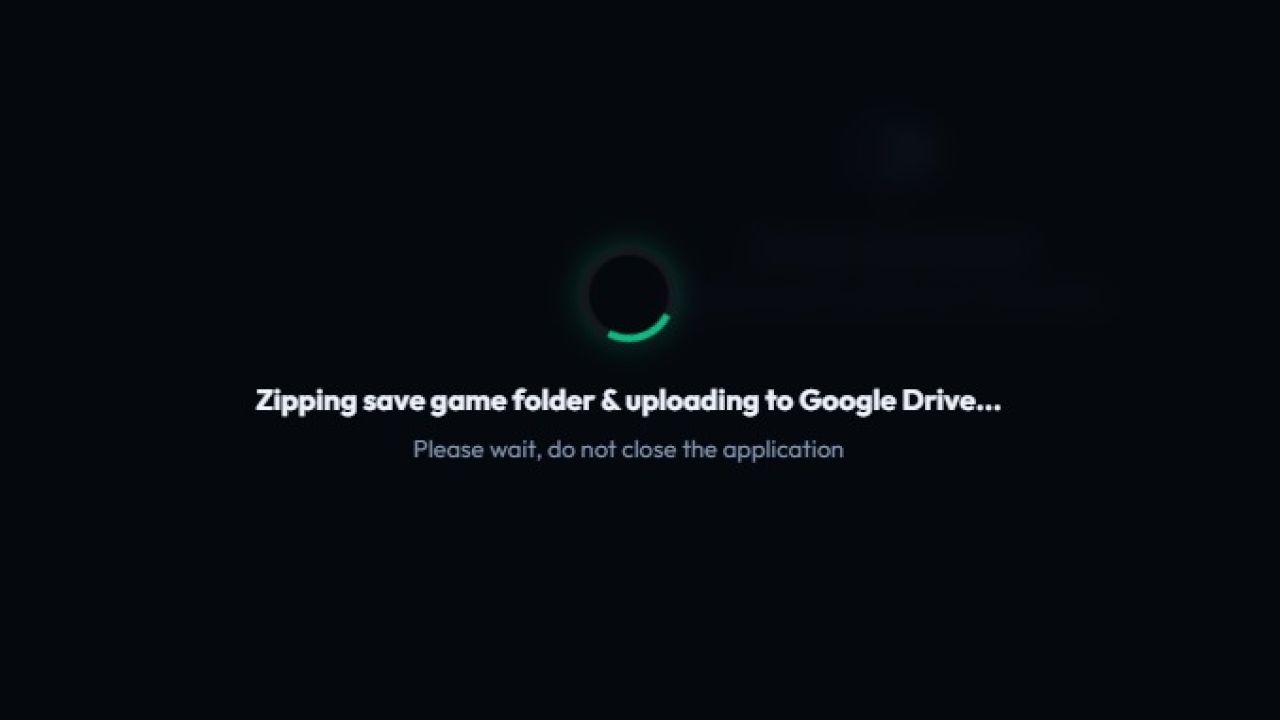
* 📦 **Smart Backup & Restore:** Forget digging through Windows folders. The app automatically zips, cleans out old data, and drops the latest save straight into your game slot.
* 🧩 **Auto Mod Sync:** Instantly scans the team's shared drive against your local files, tells you exactly what you're missing, and installs it automatically!
* 🔎 **Search & Filter Engine:** Looking for a specific save? Sort by *Newest*, *Oldest*, or search for keywords in the shift notes to find exactly what you need.
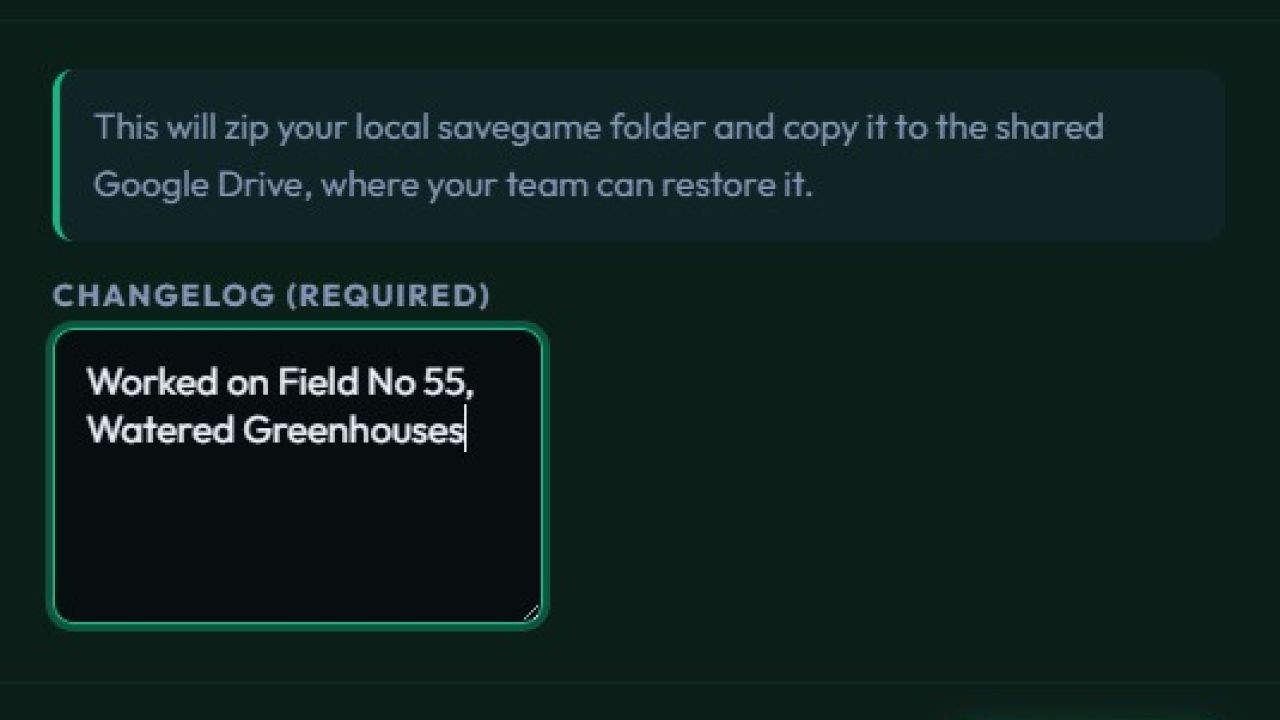
* 📝 **Shift Changelogs:** Read what your teammates actually accomplished during their shift before you boot up the game.
#### 💬 **Live Discord Integration**
* 📢 **Upload Alerts:** The moment a teammate finishes their shift, a beautiful custom card is sent straight to your Discord channel showing who played, the file size, and their shift changelog!
* 🎮 **Live Game Status:** Broadcasts an alert to your server the exact second a team member launches the game tool so others know the fields are active.
#### 🎨 **Choose Your Team's Vibe**
Match your dashboard to your farming style with built-in visual themes:
* 🌾 **Farming Green** (The classic organic look)
* 🌌 **Midnight Blue** (Deep cyber aesthetic for night-shift farming)
* 🍂 **Amber Harvest** (Warm, cozy autumn tones)
***
### 📦 HOW TO GET STARTED (For Team Members)
1️⃣ **Download the `.exe` file** from the `#releases` channel or GitHub.
2️⃣ **Launch the app** (It's completely standalone—no installation needed!).
3️⃣ **Select your game (FS22 / FS25)**, link your team's shared cloud folder, and you are ready to roll!
Note: GoogleDrive/Onedrive Desktop required for Team Sharing.
Here is a comprehensive, professional, and community-friendly changelog for your Farming Simulator Team Sync release. You can drop this straight into your GitHub Release page or your Discord server!
📑 CHANGELOG — Version 2.2 (The Complete Revamp)
We are incredibly excited to bring you the biggest update to Farming Simulator Team Sync yet! This version completely reimagines how you manage your shared farm operations, moving away from old interface limits to a high-performance, modern desktop dashboard engine.
Here is everything that has changed under the hood and on your screen:
🚀 Major Architectural Changes
Complete Logic Revamp: The entire core sync pipeline has been rebuilt from scratch for faster compression, cleaner file parsing, and total stability. No more hung operations or broken save file replacements.
Native Standalone Engine: Fully compiled and ready to roll as a standalone .exe. No setups, no command lines, and absolutely zero external installations required for team members.
🎨 Visual & UI Overhaul
Sleek Glassmorphism Dashboard: Replaced the legacy layout with a gorgeous, high-motion dark-mode desktop interface complete with animated toasts, gradient mesh backdrops, and interactive state counters.
Custom Theme Engine: Personalize your desktop client workspace! Swap between three custom-designed color profiles instantly in your settings console:
🌾 Farming Green — The classic organic setup.
🌌 Midnight Blue — Deep cyber tones optimized for long night-shifts.
🍂 Amber Harvest — Warm, high-contrast autumn aesthetics.
Hero "Latest Save" Grid: The single most recent save file pushed by your crew is now pinned dynamically right at the top of the hub with a fast-action "Restore Latest" quick key.
System Terminal Log: Added a live-scrolling terminal window at the bottom of the interface so you can track file paths, sync completions, and error checks in real-time.
🚜 Crew & Roster Management
Role Management Hub: Administrators can now assign unique, custom text titles and emojis to players directly inside the configurations matrix! Crown your crew members as the 🛠️ Chief Mechanic, 🌾 Crop Manager, or 🚜 Heavy Equipment Driver.
Interactive Player Directory: Easily track, add, or drop active farmers from your roster directly through the user workspace.
One-Click Directory Builders: Starting a new farm split? Use the directory initialization button to instantly map out /saves, /mods, and structural team.json parameters in your cloud drive root automatically.
🧩 Smart Filtering, Sorting, & Discovery
Full Data Sorting & Searching: Digging through historical turn files is now effortless. Filter through save records using author names or keyword text, and sort lists instantly by Newest, Oldest, or file sizing metrics.
Advanced Mod Sync Matrix: The mods management tray can now filter content down into All, Installed, or Missing Only. The system automatically checks your local folders against the cloud drive and highlights exactly what you need to fetch.
Shift Logs & Details: Click into any team save card to pop open a detailed overlay showing precisely what work was completed during that teammate's block.
📢 Connected Webhook Automations
Live Discord Dispatchers: Integrated native Discord webhook support directly into core actions.
Upload Alerts: Sends an elegant embed directly to your text channels tracking who uploaded the farm state, file weights, timestamps, and full changelog lists.
Active Driver Badges: Pushes an active notification indicator block to your Discord server the exact second a crew member boots up the game tool so you know when the fields are populated.
🔧 Bug Fixes & System Stability
Process Watchdog Implementations: Fixed background monitoring bugs so the desktop UI dynamically repolls files the moment cloud folders catch changes on your drive.
Dual-Franchise Optimization: Cleaned up cross-directory scanning paths to natively distinguish and manage configurations cleanly for both Farming Simulator 22 and Farming Simulator 25.
Global Hotkey Intercepts: Implemented fast-action keyboard configurations:
Ctrl + U — Instant Save Upload
Ctrl + R — Force Refresh App Matrices
Ctrl + , — Launch Preferences/Settings Console
Esc — Instantly close open mod windows and menus
Fixed a memory file-lock bug where active directory scanning could occasionally conflict with ongoing local zipextractions.
- Added New Screenshots on how to build the Folder Structure.