Thanks for PerfProfiler!
Finally, a tool that shows the real picture instead of "it lags for me." It works cleanly, doesn't break other mods, and honestly reports its own overhead. One run tells you everything you need to know - and arguments based on feelings are over. This is exactly what a proper modder's tool should look like.
I'll be recommending this to players who use my mod. Instead of guessing or blaming the wrong thing, they can just run PerfProfiler and see what's actually happening in their game. That saves everyone time - me, them, and the mod authors who get blamed for no reason.
Respect to the author! 👏
@Siemanek Keep up the good work! 👏
Troubleshooting FPS? Use Perf Profiler mod, don't guess.
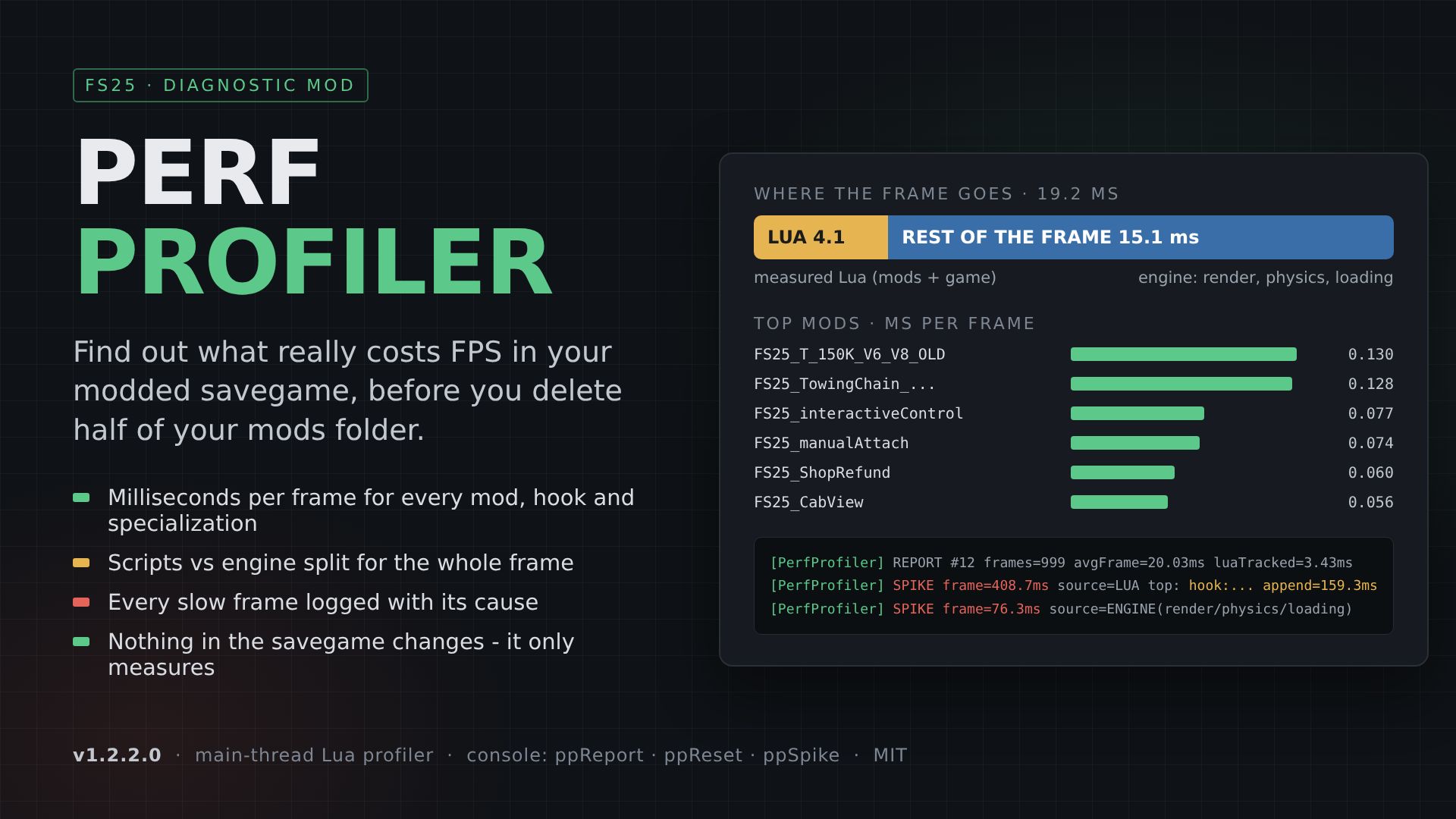
If you get low FPS and suspect my mod, run Perf Profiler by Siemanek. It times the game's Lua thread and writes a ranking to log.txt every 20 seconds - which mod, which function, and how much is Lua vs engine . It changes nothing in your save, costs 0.5 ms/frame while active, and you remove it when done .
Keep the filename AAA_PerfProfiler so it loads first . Play a few minutes, then check log.txt for [PerfProfiler] lines. Or type ppReport in the console for an instant report .
Download: https://www.kingmods.net/en/fs25/mods/83383/perf-profiler
If the log shows my mod is the problem, send it to me - I'll fix it. If it shows something else, at least you know.
Thanks for PerfProfiler!
Finally, a tool that shows the real picture instead of "it lags for me." It works cleanly, doesn't break other mods, and honestly reports its own overhead. One run tells you everything you need to know - and arguments based on feelings are over. This is exactly what a proper modder's tool should look like.
I'll be recommending this to players who use my mod. Instead of guessing or blaming the wrong thing, they can just run PerfProfiler and see what's actually happening in their game. That saves everyone time - me, them, and the mod authors who get blamed for no reason.
Respect to the author! 👏

Hi i'm having a problem where the hud for the mod does not show up does anyone know of a fix for this?
@saladass0905 Download the latest version of the mod. Then go to My Games\FarmingSimulator2025\modSettings and delete the file TTD_HUD_Settings.xml. If that doesn't help - it might be related to the parking setting in the Mixer mod: when TTD is parked, the TTD HUD used to be hidden. In version 3.8 this dependency was removed, so the HUD should no longer disappear when parked.

salut je voulais savoir si le calibreur fonctionne ? car j'ai l'impression qui fait rien de spéciale est ce que tu a déjà u des retour sur sa ?
@benjifendt728 Vérifie d'abord
Le mode dans les paramètres : « Champ uniquement » ou « Champ et routes ».
Où tu patines : champ / chemin de terre / asphalte.
Sur l'asphalte, le TTD ne fonctionne pas. Jamais.
Sur le chemin de terre, ça marche seulement en mode « Champ et routes ».
https://drive.google.com/file/d/19YvaKz4x_SFnnxdyqdKOxtV4rBDRIt7X/view?usp=sharing
Ensuite, règle
Tu patines sur le champ :
FRICTION vers le haut
SLIP vers le bas
Ça s'enfonce :
MIN RADIUS vers le haut
C'est tout.
Si après ça ça ne marche toujours pas dis-moi précisément où tu patines et quel mode est activé.
salut je voulais savoir si le calibreur fonctionne ? car j'ai l'impression qui fait rien de spéciale est ce que tu a déjà u des retour sur sa ?
@benjifendt728 SSalut ! Oui, ça marche.
Et qu'est-ce que tu t'attendais à y voir de spécial ?
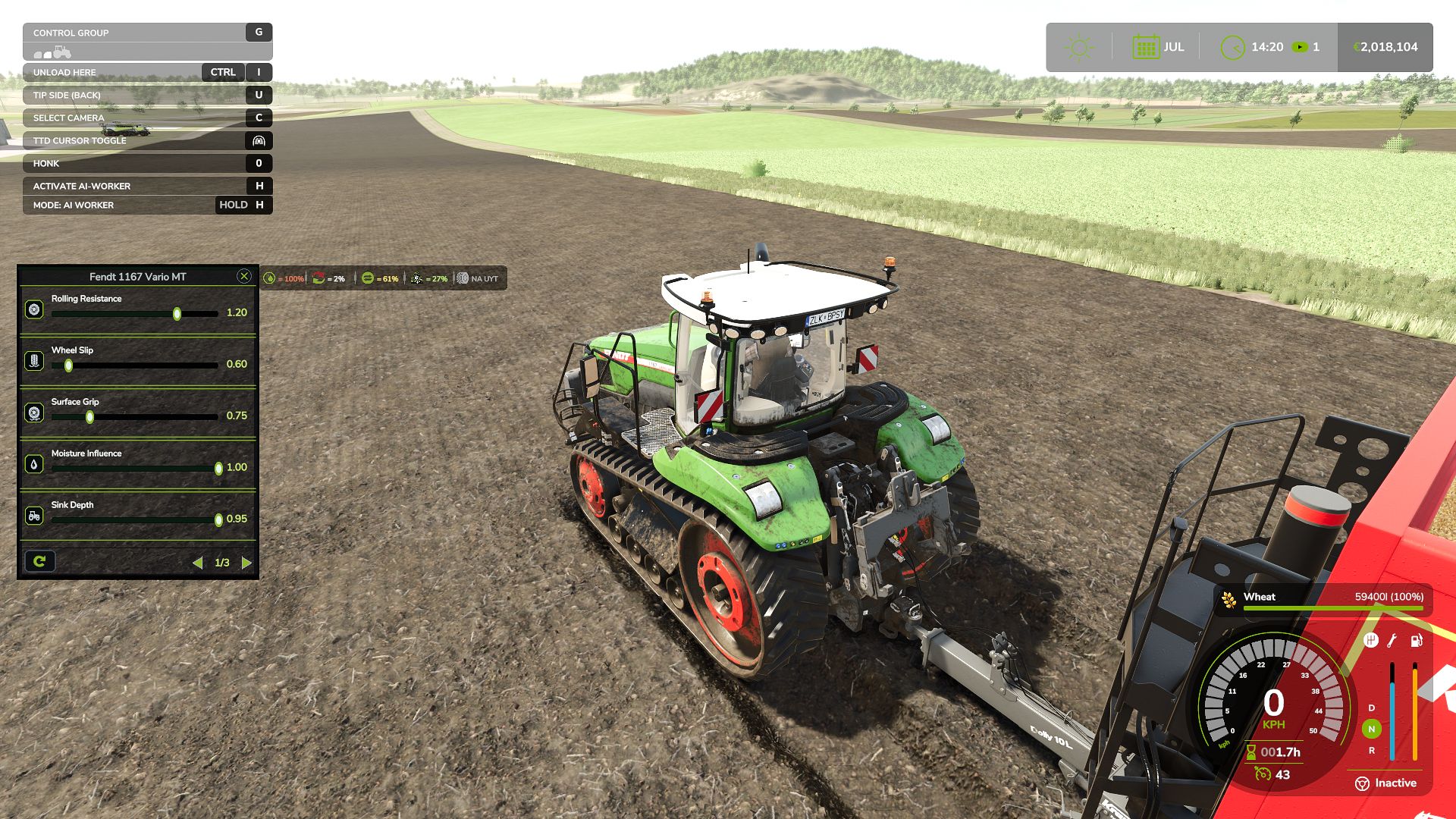
Le mod est déjà configuré via le calibreur. Les presets Easy/Medium/Hard - ce sont ses valeurs. Le calibreur est fait pour ceux à qui quelque chose ne convient pas - ça glisse trop, ça s'enfonce trop vite ou trop lentement, ça patine pas comme le joueur voudrait. Tu l'ouvres, tu ajustes pour toi - voilà sa tâche.
Le calibreur ne remplace pas la physique du jeu entier. Uniquement l'adhérence au sol.
Écris précisément ce que tu attendais - et je te répondrai concrètement.

1.0.3.7 о TTD в режиме только на поле работает нормально, только машина становится слишком валкой, в режиме (поле и дорога) вообще не управляется,(но зато дрифтит по полю как ненормальная)тс загруженный поддонами, передняя ось становится слишком разгружена и нет сцепления с дорогой,хотя визуально наоборот сильно грузится особенно на камазах от volgafs сильно нагружается передняя ось — UseYourTyres стоит, резина новая,по плюсам в этой версии оч нравится как в полее ТС гребет колесами, а не стоит как в копанная и пытается тронуться
@Orfe3y На дорогах работает только третья страница и то в режиме (поле и дороги), все остальное для поля . По поводу переворачивает ту или иную единицу техники, развесовку по осям - это не про данный мод. Тут нет настроек по развесовки по осям, опрокидывания, настроек подвески и так далее, только сцепление с грунтом не более того, особенно вне поля. Да и вообще калибратор - для тех кому не нравятся мои настройки, у всех фломастеры разные и под каждого не настроишь. Данный вариант - для тех кто лучше меня знает как его трактор должен ехать по полю или по дороге.