Search results for mod

1 046 results
  • Multiplayer Money Pause Mod Server Side
    1 197
    KingMods Logo
    Published by KingMods
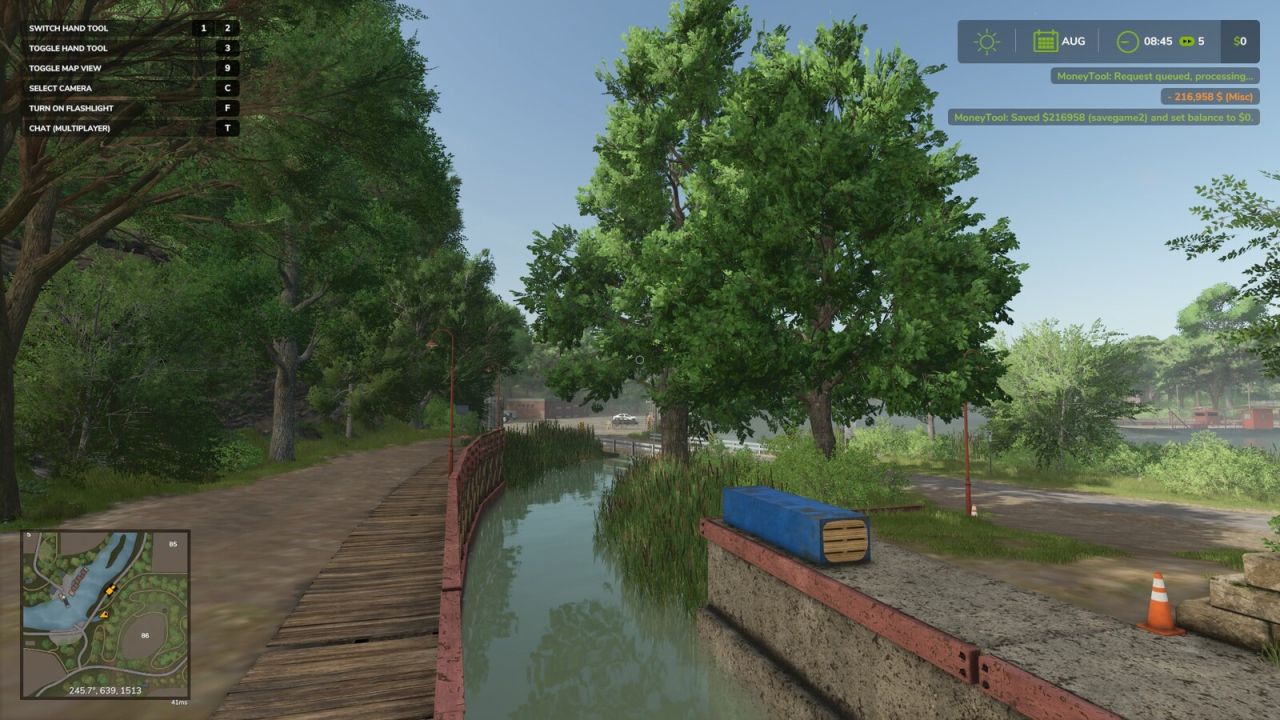
    Running a multiplayer farm with friends is great - until time keeps ticking while you're offline and your bank account takes the hit. If you've ever logged back in to find your balance drained because others kept playing or fast-forwarded time, this mod solves that problem while keeping things fair and consistent. The Multiplayer Money Pause Mod allows all players on the server to save their farm balance before leaving and restore it when they return - all handled server-side for proper multiplayer support. It helps maintain realism by effectively pausing your farm’s money while you're away. Player Controls: CTRL + ALT + 9 → Save your current balance and set it to $0 CTRL + ALT + 0 → Restore your saved balance How it works: - Supports saving and restoring both positive and negative balances - Balances are stored per savegame slot (savegame1 through savegame20) - Once saved, the server keeps your balance locked at $0 to prevent changes while you're offline Server Admin Console Commands: moneyToolWipeSave savegame0 → Clears saved balances for a specific save slot Example: moneyToolWipeSave savegame10 will only clear saved money for that save. You can specify any savegame from 1–20. moneyToolWipeSave all → Clears all saved balances across every savegame slot on your server Important: - This is a multiplayer-only mod; singleplayer does not require these features - All data is stored server-side, not on individual player machines - Each savegame slot maintains its own independent saved balances for each farm Ideal for dedicated servers — keeping things fair when the farm never sleeps.
  • Enhanced Mod / Cheat Menu
    19 133
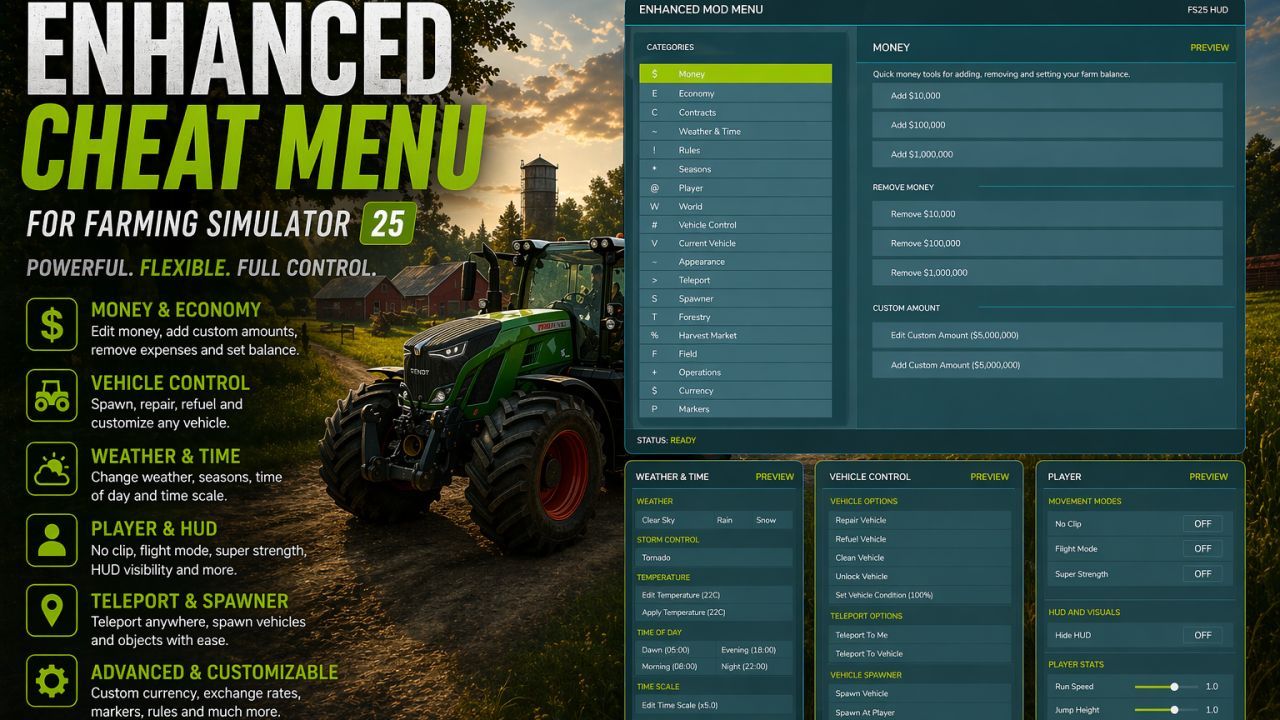
    This FS25 modification adds a mod and cheat menu with a huge range of functionality. Dozens of features are available. General Menu Features: - Full in-game Enhanced Mod Menu for Farming Simulator 25, opened with Left Alt + M; - Favorites system for quick access to frequently used functions; - Recent actions section; - Function search with search results; - Active cheats overview; - Undo option for the last action; - Reset button to restore supported changes to default values; Money And Economy: - Preset money options: add or remove $10,000, $100,000, or $1,000,000; - Custom money editing: add, remove, or set the balance to a custom amount; - Ideal Market option; - Dynamic Difficulty Breaker option; - Refund All Costs; - Free Purchases; - Free Buildings; - Daily costs toggle; - Instant Production Payback; - Currency selector with multiple currencies; - Custom currency creation with editable code, name, symbol, and exchange rate; Contracts: - Infinite Contracts; - Custom contract reward multiplier; - Instant completion for all contracts; - Contract board refresh; Time, Weather And Seasons: - Weather control: clear sky, rain, snow, and tornado; - Editable temperature; - Calendar date selection; - Custom clock and time editing; - Quick time presets: dawn, morning, noon, evening, and night; - Time skip options: 1 day, 2 days, 7 days, 1 month, 3 months, 6 months, or 1 year; - Editable time scale; - Freeze Time option; - Season switching: spring, summer, autumn, and winter; - Field requirements override; - Weather impact override; - Always Ideal Conditions mode; Player Tools: - No Clip mode; - Flight Mode; - Super Strength; - Player Invisible mode; - Default HUD toggle; - Editable player run speed; - Editable player jump height; World Cleanup And Markers: - Traffic toggle; - Pedestrian toggle; - Owned pallet cleanup; - Owned bale cleanup; - Loose owned freight cleanup; - Tracking markers for owned pallets and bales; - Freight marker cleanup; Vehicle Tools: - Vehicle repair; - Fuel refill; - Full tank refill for all vehicle tanks; - Vehicle washing; - Vehicle dirt option; - Paint wear removal; - Paint wear adding; - Full vehicle appearance restoration; - Vehicle cloning; - Current vehicle selling; - Current vehicle deletion; - Prevent Vehicle Flips mode; - Vehicle teleportation to the map marker; - Repair for all attached implements; - Full tank refill for the attached vehicle/tool chain; - Lift all attached implements; - Lower all attached implements; Vehicle Editing: - Current vehicle max speed editing; - Current vehicle reverse speed editing; - Current vehicle power editing; - Power reset option; - Current vehicle mass editing; - Crop damage toggle for the current vehicle; - Ghost Mode for the current vehicle; - Vehicle name editing; - Vehicle configuration browser; - Vehicle configuration option switching; - Selected vehicle configuration application; - Vehicle configuration information display; Tool Editing: - Current tool target selection; - Tool work width editing; - Tool work speed editing; - Required power editing for tools; - Current tool cloning; Teleportation: - Teleport destination filters; - Destination selection; - Teleportation to selected destinations; Spawner: - Spawner menu with category selection; - Selected item spawning; - Pile material selection; - Custom pile amount editing; - Pile spawning; Forestry: - Tree selection; - Tree growth stage selection; - Plant one tree ahead of the player; - Plant five trees ahead of the player; - Chainsaw Crosshair; - Chainsaw speed switching; - Remove living trees within 15 meters; - Remove cut stumps within 25 meters; - Remove the nearest cut stump; - Clear cut logs within 25 meters; AI Helpers: - Free Helpers; - Finish all AI workers; - Teleportation to an active helper; Traffic Control: - Traffic cleanup around the player within 50 meters; - Freeze Traffic; - Traffic respawn; Market And Crop Prices: - Insider Trading for the harvest market; - Peak Forecast information; - Auto Trader; - Custom harvest sales multiplier; - Sales multiplier reset; - Emergency restoration of all crop prices; - Crop selection; - Custom crop price editing; - Set selected crop to the maximum price; - Restore selected crop to the normal market price; Field And Crop Tools: - Perfect Field; - Custom growth editing; - Instant Grow; - Instant Harvest; - Crop selection for field planting; - Plant selected crop; - Auto Remove Weeds; - Disable Stones; - Soil state cycling; - Instant plowing; - Instant cultivating; - Instant sowing; - Instant fertilizing; - Instant rolling; Field Ownership And Field State: - Selected field switching; - Field selection by number; - Field under player selection; - Free purchase of the selected field; - Selected field selling; - Make all fields owned by the player; - Reset ownership on all fields; - Field state controls: lime, mulched, plowed, and rolled; - Field fertilizer controls: 0%, 50%, and 100%; - Weed removal for the selected field; - Stone removal for the selected field; Custom Map Markers: - Custom map markers; - Marker name editing; - Marker description editing; - Place marker at the player position; - Marker selection; - Teleportation to selected markers; - Marker deletion; - Delete all custom markers. Conflicts: - Grow now (thanks CollapsingVoid for test) - Other scripts that interact with the same code/functions as the Mod Menu. Mod is still in early BETA. Also join my patreon: https://www.patreon.com/cw/ML2000 (the video shows an older version of the mod, so the interface there is outdated and many features are not available)

    Updated
  • Spreading Manure Mod
    6 597
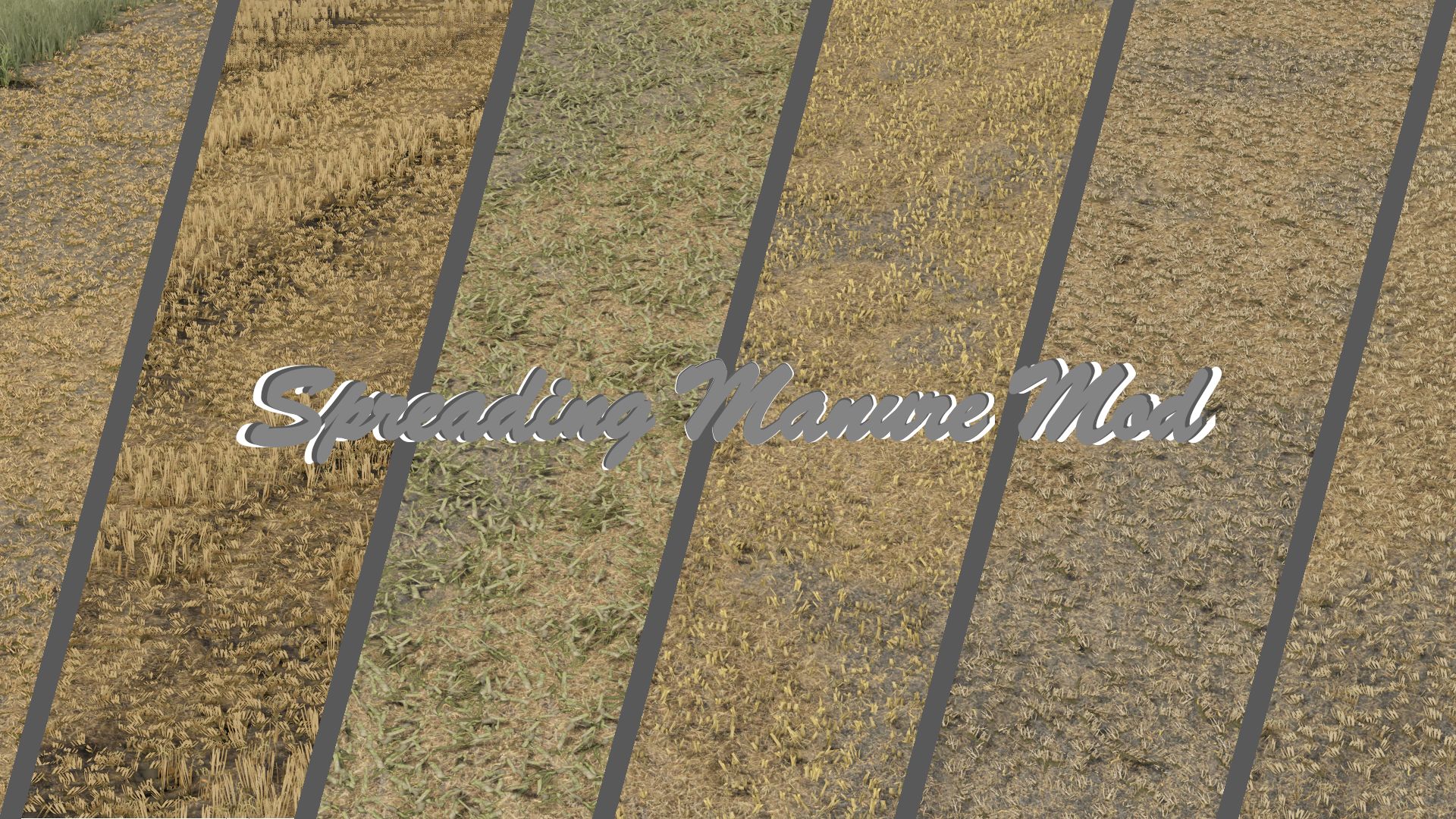
    I present to you another Mod/Script from my hand - Spreading Manure Mod. This is a script I have been working on for some time to improve the realism of spreading manure in the game. So far, during the spreader's operation, we have mainly seen only the change in the texture of the field. This mod changes that. When you spread manure in the field, actual material appears and is deposited on the ground - right where the machine is working. Thanks to this, the effect looks much more natural and resembles what you see in reality. The spread is continuous, varied and distributed over the entire working width. Everything was done to maintain a balance between efficiency and realism. The effect may vary slightly/minimally on each map.
  • FS Miner's Mod Pack #17 (April 2026)
    11 210
    162 mods included For any questions check the video review ! Than modpack upload at kingmods By FS Miner exclusively not allowed to post at other sites
  • Straw Chopper Mod
    9 878
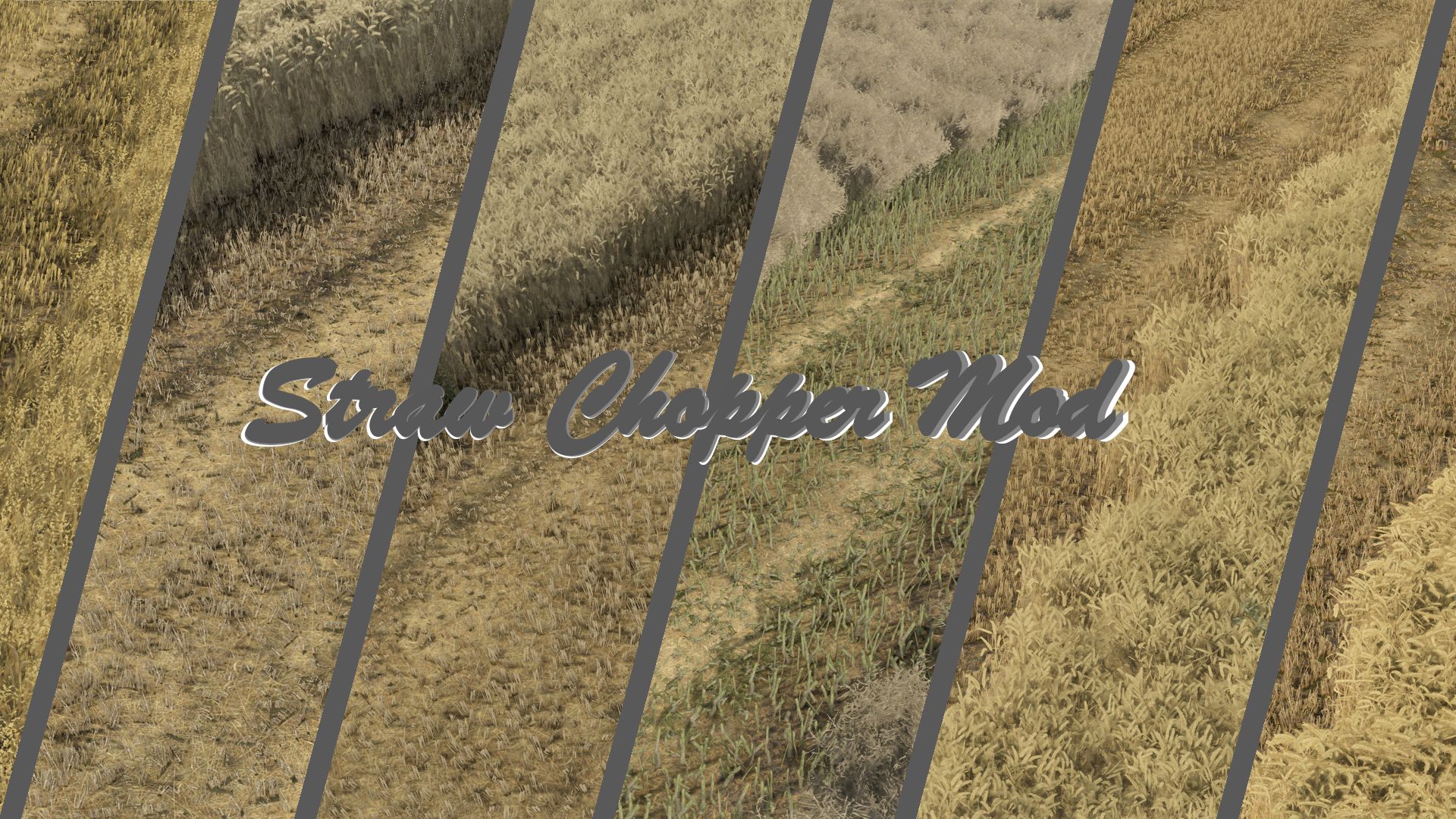
    I present to you a modification that I have been working on in silence for some time - Straw Chopper Mod. The mod adds more realistic behavior of the forage harvester in combine harvesters. When mowing with the forage harvester switched on, a fine layer of shredded straw appears on the field instead of completely disappearing. Thanks to this, the field looks much more natural and closer to real working conditions. The modification works fully as a separate mod - it does not interfere with the vehicles and does not require editing them. Works for crops: -Wheat -Barley -Rapeseed -Oats -Rye -Triticale -Spelt Important information: The final effect may vary depending on the map - this is due to the individual settings of crops, textures and straw configuration on a given map.
  • Mod Extractor
    4 529
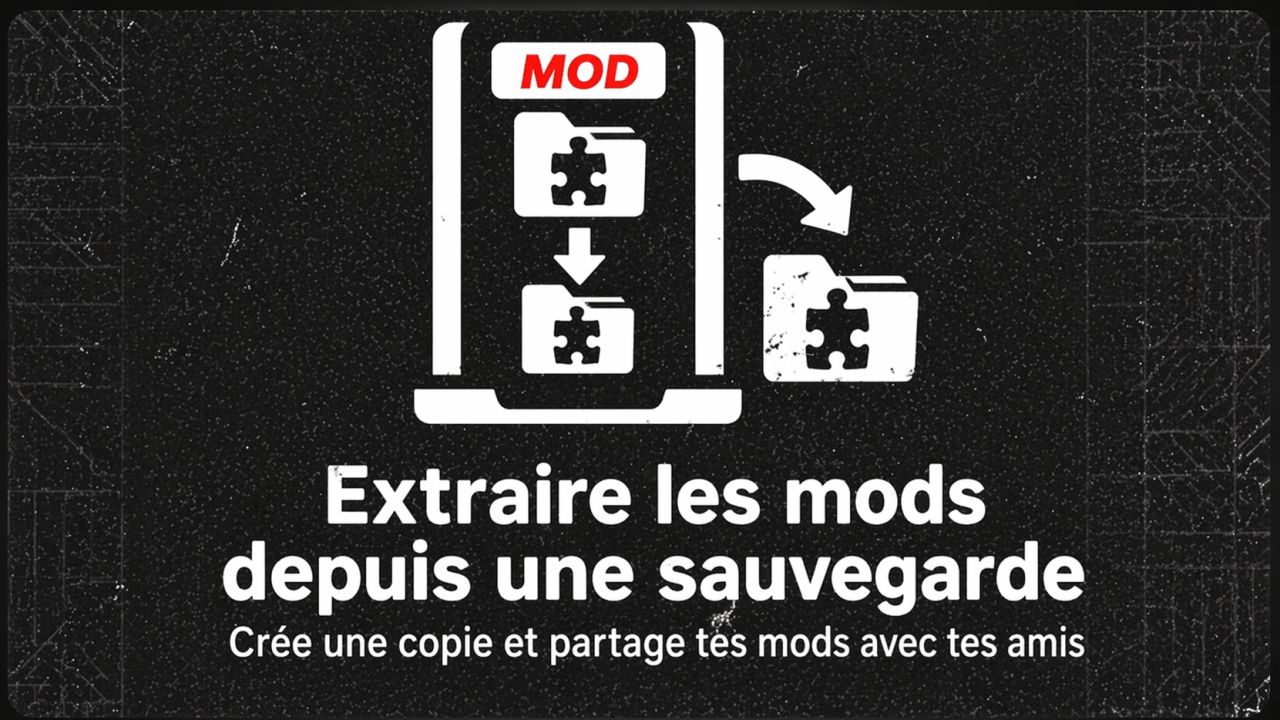
    Mod Extractor v1.2 is a simple tool to manage your mods on Farming Simulator 25. The software analyzes your save and automatically identifies the mods you actually use (vehicles, tools, buildings). Then it copies them to a new folder. 👉 Result: you get a clean folder with only useful mods. It is ideal for: Share your game with friends Prepare a multiplayer server Avoid unnecessary mods ✨ New features v1.2: 🌍 Languages: French / English. ⚙️ 2 choices: Extract purchased mods or checked mods. 🔍 Detection: Identifies missing mods with automatic search links. 📊 Stats: Shows the number of mods and remaining time. 🎨 Design: New “Carbon Pro” look.
  • FS25 Mod Manager
    4 030
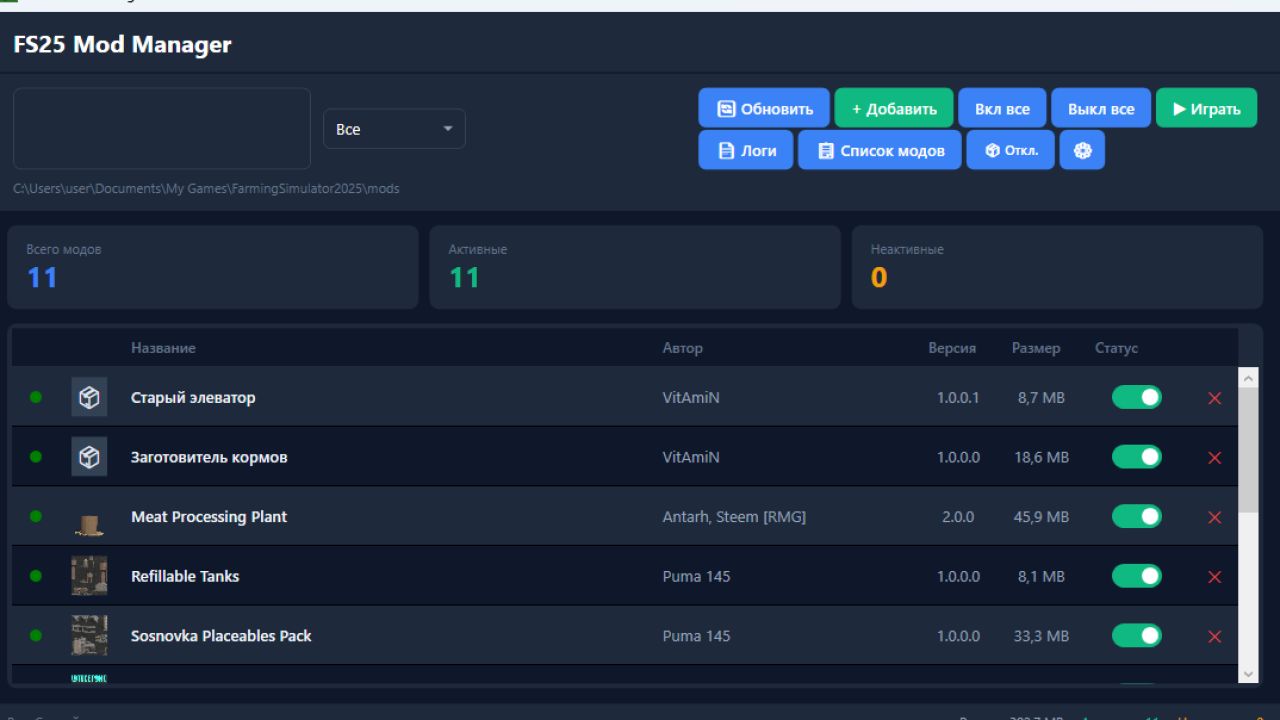
    FS25 Mod Manager Version: 6.2-beta Platform: Windows (x64) Engine: .NET 8 + WPF Description FS25 Mod Manager is a convenient application for managing mods for the game Farming Simulator 25. Allows you to easily add, enable/disable and remove mods without having to manually rename files. Opportunities Adding Mods - Download mod ZIP files with one click Enable/disable - convenient switch for each mod Folder management - active mods are stored in the game folder, disabled ones are moved to a separate folder disabled_mods View information - name, author, version, size and icon of each mod Search and filtering - quick search by title/author, filter by status Bulk control - "On all" / "Off all" buttons Launch game - button to launch Farming Simulator 25 directly from the program Log analysis - built-in log file viewer with identification of problematic mods Export a list of mods - saving to a TXT file, divided into active and disabled Multilingual - support for Russian, English, German and Polish languages Settings - select the path to the mods folder, font size, compact mode How it works When a mod is disabled, the .zip file is moved from the mods folder to the disabled_mods folder (in the program directory). When turned on, it comes back. The game only sees mods that are in the mods folder. Installation Run FS25ModManager_Setup_v6.2-beta.exe Follow the installer's instructions The disabled_mods folder is created automatically Launch the program and add mods through the “+ Add” button if you have any ideas about what functions can be added to the program, write
  • Self-synchronizing mod tool for server operators
    6 113
    Self-synchronizing mod tool for server operators A tool for server operators who want straightforward mod synchronization without additional software. How it works: Simply paste the server IP and compile the tool. Players receive a finished .exe file that can be sent and used without any problems. Note on antivirus programs: AVAST Antivirus can trigger a test at startup but does not find any threat. Other antivirus programs may also display warnings. Please include the file in the exceptions to avoid problems. V2 Has now been adapted to the players.
  • Mod Folder Refresh
    9 821
    You ever wish you didn’t have to restart your game just because you forgot to add a mod? Now you can. Mod Refresh is a simple utility for Farming Simulator 25 that helps speed up mod testing. Instead of fully closing the game, you can load into a save once, add a mod in your mods folder, press F10, return to the main menu, and load back in. (You cannot remove an already loaded mod) This makes it much faster to test new builds, updated files, and quick changes while working on mods. How it works Load into a save once Add a mod in your mods folder Press F10 Return to the main menu Load back into your save Important This is a soft refresh tool. It does not fully hot-reload an active session in place, but it saves you from having to fully close and reopen the game every time. Default Key F10 = Refresh Mods
  • Shop Mod Labels - New And Updated
    2 252
    KingMods Logo
    Published by KingMods
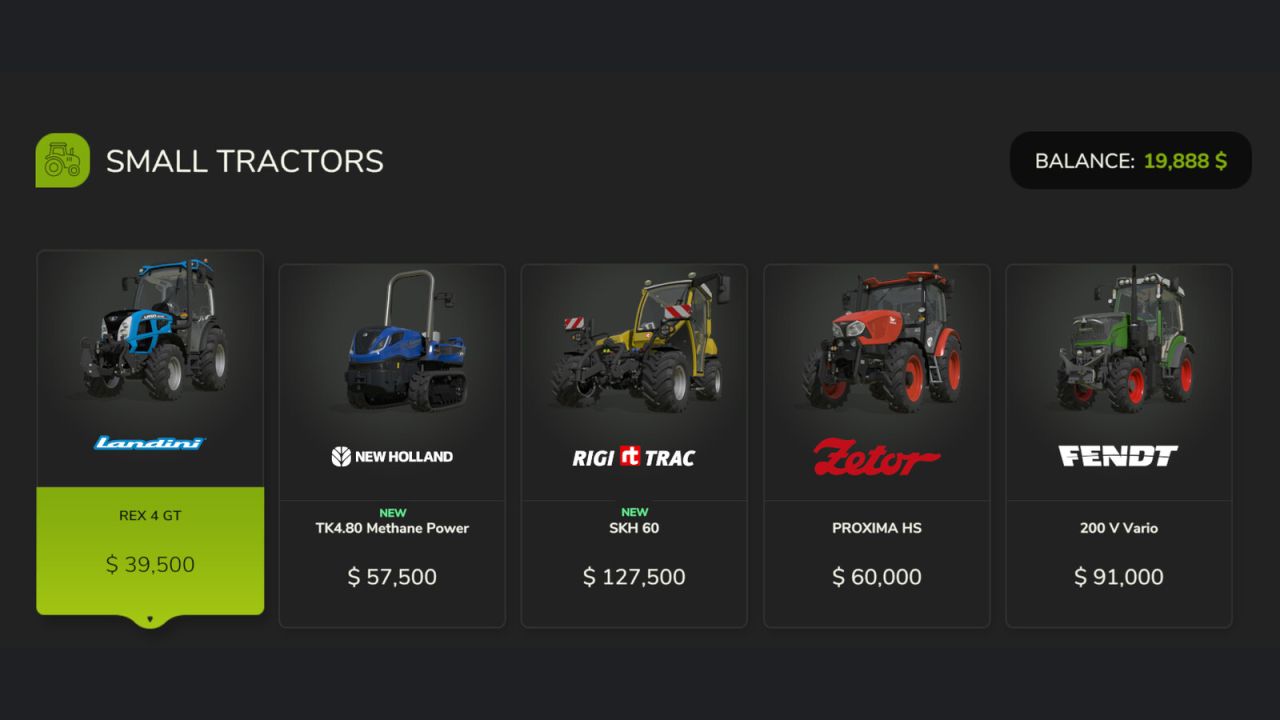
    Displays a coloured ribbon label on shop item tiles to help you keep track of what is new or updated in your mod collection. A green NEW label appears on any mod you have not seen before in the shop. An orange UPDATED label appears when a mod's version number increases. Both labels are shown for 14 days before fading away automatically. Note: UPDATED only appears if the mod version increases after your first run of the game with this mod installed. GENERAL SETTINGS A dedicated section is added to the General Settings menu with two options: - Label Position: A stepper control (◄ value ►) lets you fine-tune the vertical position of the labels on shop tiles. The starting position is automatically chosen based on your screen resolution — standard 16:9, widescreen, and ultrawide 21:9 displays are all detected at startup. - Reset All Labels: Clears the history of all seen and updated mods, so every item in the shop will show as NEW again. Useful after a fresh start or a large mod list change. Settings are saved and persist between play sessions.
  • FS Miner's Mod Pack #16 (March 2026)
    18 478
    159 mods included For any questions check the video review ! Than modpack upload at kingmods By FS Miner exclusively not allowed to post at other sites
  • Cotton Mod Pack V2 – Harvest with Style and Speed
    4 035
    KingMods Logo
    Published by KingMods
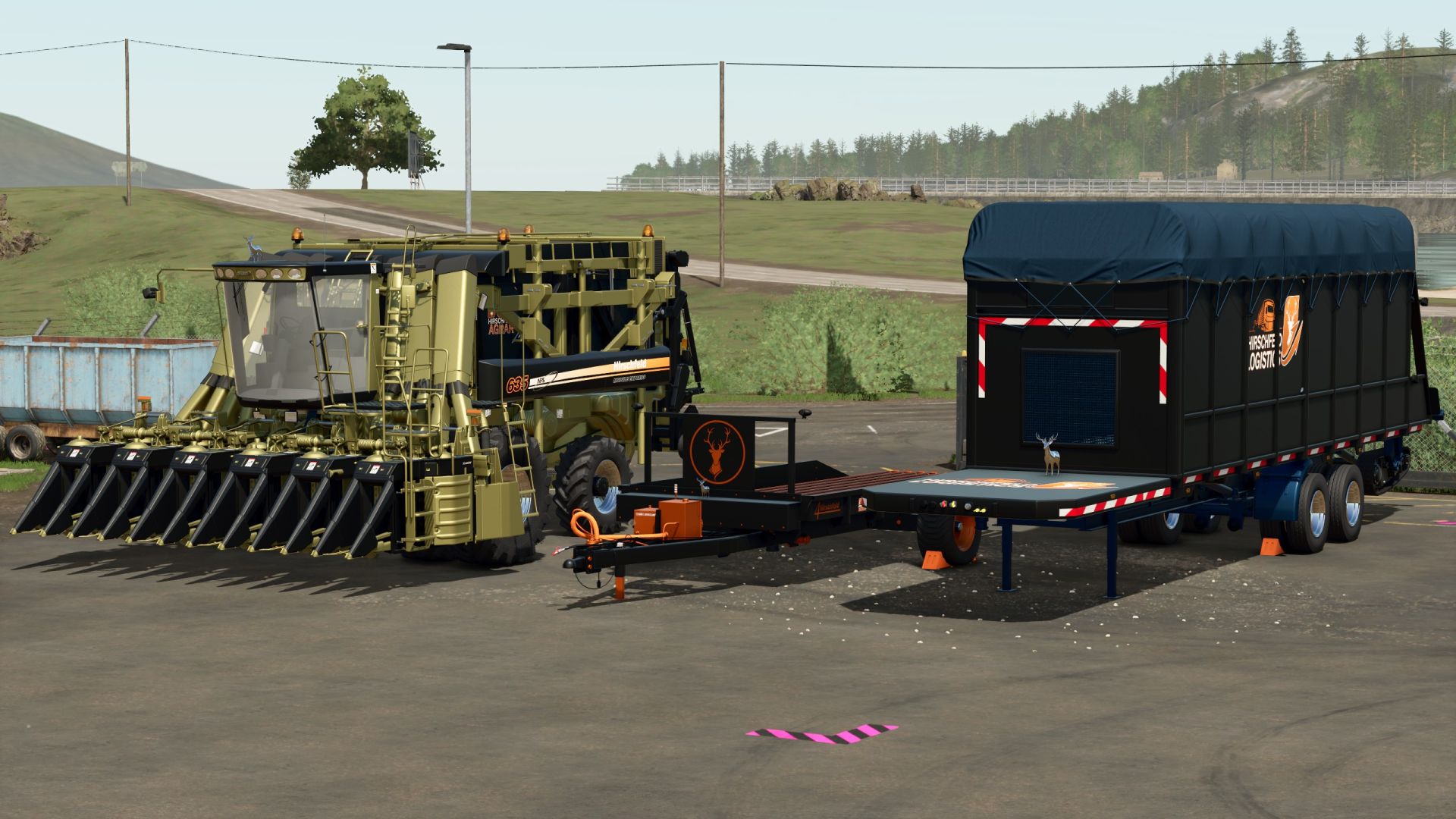
    What's new in the Cotton Mod Pack V2? Patrick delivers a completely revamped cotton harvesting experience in Farming Simulator 25 with this pack – all in the unmistakable Hirschfeld style. Perfectly coordinated colors, optimized equipment data, and a touch of individuality for your fields. Included features: Machines in Hirschfeld design (color matching & logo) Revised textures for a more realistic look Technical improvements for higher harvesting speed Ideal for large cotton fields & multiplayer operation You can find it directly in the shop under "Cotton Technology". Note: This pack is the perfect complement to Patrick's first cotton mod – ideally combinable!