Search results for

81 976 results
  • Iowa Independence
    1 297
    KingMods Logo
    Published by KingMods
    Welcome to Independence to a small farming area in Buchanan County Iowa USA, the map is a real life area with real pda overview and it has - 2 farms - 44 fields - BGA - 5 sell points - all buildings can be sold - a mixture of large to medium sized fields at a reasonable price I hope you enjoy my 1st USA map
    New
  • Pomot T507/6
    559
    KingMods Logo
    Published by KingMods
    The POMOT T 507/6 is the ideal solution for small and medium-sized farms. The vehicle is economical and efficient. This range of wagons is chosen by users who value comfort. -Price: 7,800 $ -Working width: 9m -Capacity: 5000l -Power requirement: 53hp -Equipment configurations: *Fenders (3 options). *Pipe *Fenders (4 options) -Colour configurations: *Frame *Pump *Pipe *Rims
    New
  • Stainless Steel Liquid Manure Tank
    362
    KingMods Logo
    Published by KingMods
    A 900m³ stainless steel slurry tank constructed using Lipp's double-seam technology and equipped with a PTO-driven agitator. The cover is configurable and reduces nitrogen losses due to ammonia degassing from the slurry in real life. Price: $65,000 Monthly upkeep: $25 Configurations: Cover
    New
  • Used Equipment Yards
    1 089
    KingMods Logo
    Published by KingMods
    Used Equipment Yards This mod allows you to place used equipment yards on your map, where you can buy used vehicles and equipment. - Draw yards the same way you define custom pastures. You can place them anywhere on the map. - Visit yards in person to see what is available. Stock changes over time, so check back regularly. There is no menu. - Configure yards to determine what type of equipment is sold, including the quality of what brands are available. - Choose from a range of quality options to represent old equipment, or more like a dealership yard with new or ex-demo stock. - Sell your equipment to yards for cash or credit that you can use for future purchases. - The mod also includes decorative signs to help build an authentic yard. Huge thanks to Mr Dexxx for these. - Sale vehicles feature custom 'for sale' license plates, thanks to Mark Thor. When you first draw a yard, nothing will immediately appear for sale. It takes time for stock to be generated, and the yard needs to be visited in person before items will show up for sale. If you prefer to populate initial stock immediately, there is a command ueyResetInventory. GitHub: https://github.com/sprkem/FS25_UsedEquipmentYards Changelog: 1.0.0.7: - Add design colors to configs excluded from randomisation. - Sale Zone now applies levelling and clearance to ensure it is visible and clear. 1.0.0.6: - Add baseColor to configs excluded from randomisation. 1.0.0.5: - Color and wheel rim color are no longer randomised. - Added some missing translations. 1.0.0.4: - Yard vehicles now have randomised configuration - Added support for Vehicle Years mod - Added support for Hire Purchasing mod - Filter out Fish Food from inventory weights to prevent it spawning - Fix some sporadic multiplayer issues where purchased vehicles didn't appear to be owned by the correct farm 1.0.0.3: - Add max duplicates option. You can now set a limit on how many of the same item can be for sale at once. 1.0.0.2: - Reworked handling of vehicles when sold to a full yard. Previously we saw vehicles being placed strangely. 1.0.0.1: - Added new button in settings to reset all yard inventories - Remove guard that prevents ueyResetInventory from working if you don't have cheats enabled - Added Second Hand Brand New Day sign featuring Ross from The Farm Hand
    New
  • MB DLC Work Cameras For All Vehicles
    1 265
    Mercedes Benz DLC Work Cameras for all Vehicles This mod enables the functional cameras of the Mercedes Benz DLC vehicles to be used in all vehicles. The Mercedes Benz Trucks Pack is required for this. The cameras in the vehicles can be split into different groups, in which the cameras can be switched through. In addition, an automatic switching of the cameras can be activated, which selects the appropriate camera depending on the driving direction and/or status of the unloading pipe. The mod adds the cameras to existing vehicles from the base game, so you can start using them right away with the available vehicles. For some implements and trailers, cameras are available as well. These will be displayed in suitable pulling vehicles as soon as the implement is attached. Mod vehicles that are properly prepared can also use Work Cameras. A guide for integration can be found in the mod directory. The control of the camera functions is done via the following key bindings: - Switch camera group: Right Ctrl key + Quote key - Activate/deactivate camera group: Right Alt key + Semicolon key + Numpad / key - Select next camera: Right Alt key + Semicolon key + Numpad + key - Select previous camera: Right Alt key + Semicolon key + Numpad - key - Toggle automatic mode: Right Alt key + Semicolon key + Numpad * key With the upcoming version 2.1.0.0 of Dashboard Live, the cameras will also be usable in a large number of standard vehicles with DBL displays. The cameras are integrated into the displays there.
    New
  • F1 Filter Menu
    686
    KingMods Logo
    Published by KingMods
    Tired of hotkey clutter? F1 Filter Menu allows you to dynamically hide unwanted mod hotkeys from the F1 help menu.
    New
  • Autodrive Myropillya
    420
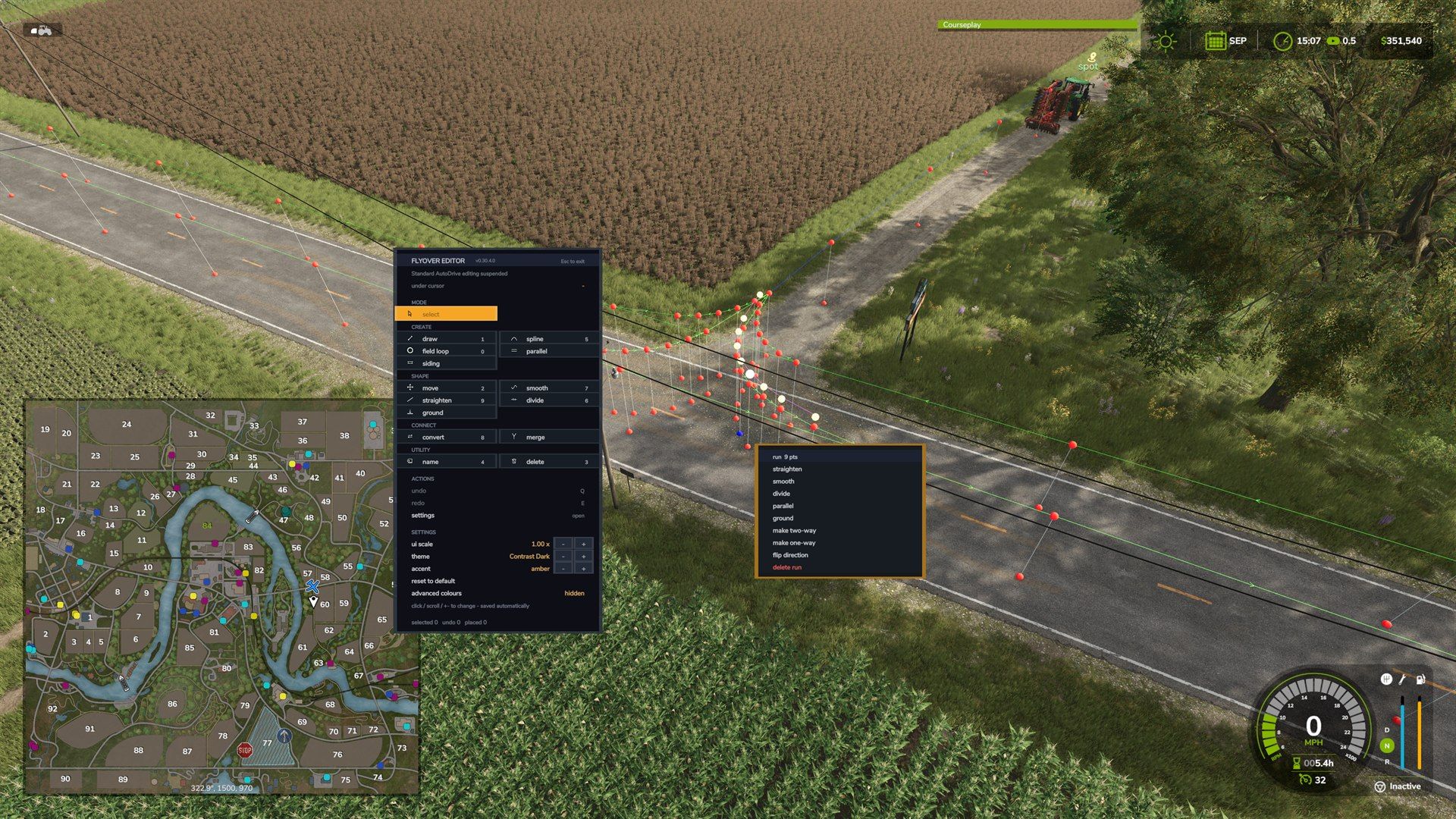
    Under development Description of auto-drive routes in the village of Myropylia The images show the AutoDrive routes, which are marked with red and white dots that form the lines of traffic throughout the village of Myropil. Green lines connect route points, showing direction of travel. The main structure of the route includes: Village Central Roads – Routes run through major streets and intersections, allowing trucks and cars to move freely through the village. Linking to productions - routes are prescribed for the delivery of products to all the main enterprises of the village: Mills Oily Dairies Elevators and grain cleaning stations Sale of grain and meal Entry and exit to the fields - the routes will be connected to all the fields of Myropyl, which allows vehicles to easily approach for the transportation of agricultural products. Animal logistics - routes include entrances to feeders and silos for feeding animals, as well as points for buying and selling animals. Work plan and expansion First stage: Myropylia All productions and fields of the village are registered. Configured routes for self-driving trucks and cars delivering products, fodder and animals. Prescribed routes to feeders, silos, entrances to the farm where animals are kept. Product loading and unloading stations are included (grain, oil, milk, meal). Second stage: Koshmak The route for Koshmak village will be added in the next update. All fields of Koshmak and production are registered. Prescribed routes for transporting products, fodder and animals are similar to Myropol. Thus, in the first update, the village of Myropil will be fully developed with all productions and fields. In the next update, routes and farming points will be added for Koshmak, including a farm and animals.
    New
  • Small stall for heifers
    985
    Small stable ideal for raising heifers on a modest-sized farm. The building has a functional straw area as well as an integrated dynamic storage area to facilitate the daily management of your livestock. Cleaning is carried out using a small articulated loader, such as the Weidemann, for simple and realistic maintenance. ⚠️ This stable is intended only for the breeding of heifers. She does not produce milk. Features: Welcoming heifers. Mulched area. Dynamic storage. Curable building. Functional lighting. Solar panel configuration. Without milk production. Price: €85,000
    New
  • British pigsty with 4 bays
    1 015
    KingMods Logo
    Published by KingMods
    Shed release F - UK pig farm - Built for Scroft's 'Map to Map - Lets play series'. A UK inspired pig shed with the capacity for 40 pigs. ✅ Capacity: Holds up to 40 pigs. ✅ Slurry only - No manure. ✅ Custom popular UK brand 'Collinson' silo. This will be released separately in due course.
    New
  • Dairy cattle barn with cubicles
    1 400
    KingMods Logo
    Published by KingMods
    A UK inspired large dairy cubical shed with diary parlour. ✅ Capacity: Holds up to 200 cows - This shed will allow production of Milk, Buffalo Milk, manure & slurry. ✅ Manure will spawn inside the shed, you need to clear it out manually.
    New
  • Grazing Pasture
    942
    KingMods Logo
    Published by KingMods
    Grazing Pastures adds customizable grazing pastures and pasture-connection tools for cows, sheep, and horses. Included placeables: - Cow Pasture: cattle/cows, 1500 animal capacity, external-water only, $1000. - Sheep Pasture: sheep-family animals, 1500 animal capacity, external-water only, $1000. - Horse Pasture: horses, 15 animal capacity, external-water only, $1000. - Pasture Water Trough: optional external water storage for connected pastures. - Pasture Animal Feeder: bale-fed external feed and straw storage for compatible pastures. - Transfer Gate: standalone connector fence with a 6 m animal-transfer gate. - Pasture Add-on Fence: extension/boundary fence for expanding an existing pasture area. How it works: - When placing the pasture, rotate it so the main gate opens inward into the pasture area. - Place a pasture, draw/customize its fence, then finish construction. - Place water troughs inside the pasture boundary so the pasture can use them as external water storage. - The pastures do not include an internal water tank; water must come from external Pasture Water Troughs. - Cow, sheep, and horse pastures are separate one-animal-type pastures, not a mixed-species pen. -Pasture joining, you now have the ability to join the Grazing Pastures to each other. To do so you will need to already have one pasture placed down on your farm. You can then start building a new pasture nearby, while placing down the second pasture keep placing the fence down till you reach the first pasture already build, all you need to do is just move the fence segment up to the other fence and you will see it snap onto it, when you have it where you would like the start the joining click it down then move to where you would like the fence to exit from, this could even be around a corner of the pasture, just click again then you can continue to completing the pasture build. -Custom connection, with this pasture you also have the ability to connect to all base game and modded barns that have a customizable fence. To do so you need to delete the segment of fence on the barn you would like to join to, then place down the transfer fence segment by attaching it to both end segments of the barns fence. Then you can either build a new pasture by placing the fence at one end of the transfer gate fence then select the other end, then continue to complete the pasture setup. Other option is to use the Pasture extension fence by starting at the pasture fence end (after deleting a segment) placing the fence down till you reach the transfer gate fence then select one end of the fence, Then select the other end, from there just finish placing your fencing down till you get back to the last segment of the pasture to complete the build. -Pasture extension, This feature gives you the ability to extend an exciting Grazing Pasture, It's as simple as deleting the segment of fence you would like to extend from, then select the Pasture extension fence and start placement at one end of the deleted segments and continue till you get back to the other end of the deleted segment of fence to complete the pasture build. Feed and water: - Use the Cycle Feed Mode input to switch the selected pasture between Grass + Hay, Grass Only, and Hay Only. Default key: K. - The selected feed mode controls unloading, feeding, food display, and available food for that pasture. - Place a Pasture Animal Feeder inside a compatible pasture to accept grass/hay bales for feed and straw bales for bedding. - Feed mode is saved per pasture, with a savegame default. - Field information shows pasture acres and water capacity and a lot more. Fence joins and animal transfer: - Snap a pasture fence to a compatible pasture fence, add-on fence, or standalone Pasture Fence connector. - Animal transfer requires compatible connected pastures, matching animal type, and same-farm/access validation. - Use a 6 m transfer gate near connected fences to open the transfer dialog. - The transfer dialog lets you choose direction, animal group, and count. Other features: - Automatic default pasture numbering, such as Cow_Pasture1 and Cow_Pasture2. - Custom pasture names are preserved. - Multiplayer-safe server validation for feed-mode changes and animal transfers. - Sheep/goat straw and manure support where the game exposes sheep-family subtypes. - Horse pasture includes automatic daily horse care assistance. Latest changes (1.0.0.1): - Added scheduled milking between cow pastures and connected milk-producing cow barns. - Added dynamic barn and pasture capacity updates for joined pasture boundaries. - Added automatic transfer-gate fence-exit handling when joining pastures. - Restricted add-on fence snapping to exposed ends of existing fence end segments. - Added optional 4 m pasture gate grate configuration with a matching dirt apron that blocks meadow and foliage repainting. - Added field-info displays for animal barns and pastures.- Manure pits can now link from within 25 m outside a pasture boundary fence.
    New
  • Silage silo decoration
    757
    Placeable silage silo for yard decoration Store price: $1,500
    New