BUG05

BUG05

27 gli iscritti

Attività

BUG05 BUG05 ha risposto a un commento su un mod
Spiro77

tu dis que le seul autre mod manager est signalé comme un virus par ton PC. Bien pour moi c'est ton mod manager qui est signalé comme un virus.

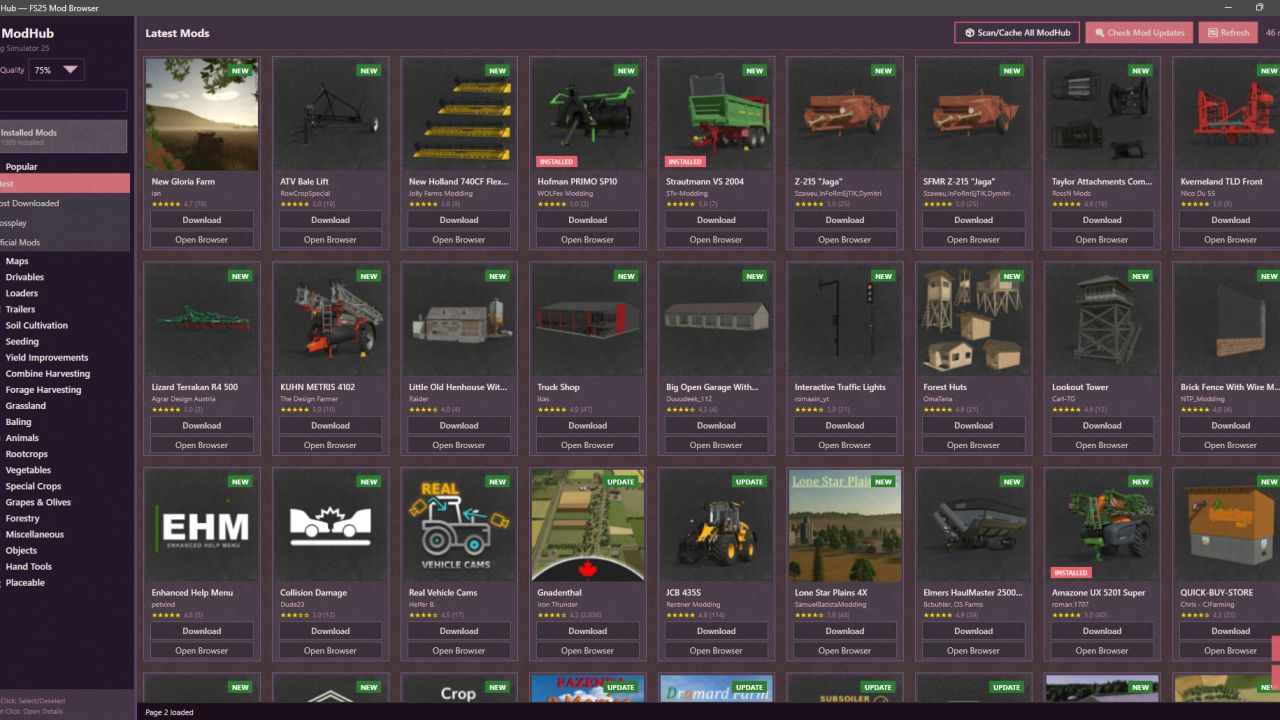
@Spiro77 I wrote the program myself using artificial intelligence in a simple way. I didn't get a certificate, so it doesn't have a digital signature. Windows gives a warning that the software is unsigned, which is normal. I use Win11 and tried Win10 on another system, no problem. I also use KASPERSKY antivirus software on the system where I created the software. I also scanned the file on VirusTotal; you can check it. 

Link : https://www.virustotal.com/gui/file/674471fd09a1fdb0cb90bdf9ff99a1b6d4f3f91fbecfcfc810b9e938f89cb22e/detection

A warning in a company; it gives a warning for almost every software. If you downloaded the file I shared, the file is clean and there is no problem. None of the popular and well-known companies are reporting any problems.

BUG05 BUG05 ha risposto a un commento su un mod
Boberholzer

It says I have an error with one of my mods (a silo) but the game log doesn't indicate a problem and your app doesn't tell me what error it found.  Is there any way to expose what it found?

@Boberholzer The modDesc.xml file will throw an error if it contains text or characters outside of the XML format, i.e., any structure left exposed outside the code. The game usually ignores most of these exposed structures and can still read the file. I will soon add a control mechanism to the program that will indicate which file and line contained the error.

BUG05 BUG05 ha risposto a un commento su un mod
michal44001

your own mod found error in themselves

@michal44001 The program's basic working principle is based on searching for and reading the modDesc.xml file within the mod. So, it searches for this file first. If the file is missing, corrupted, or unreadable, you will encounter this error window. In the image you provided, you scanned the ZIP file containing the program, and since the program isn't a mod itself, it's encountering an error screen because the modDesc.xml file is missing – this is a normal process. However, there is a second mod in the list (FS25_cc_nfDeco.zip), and this file is also in the error list. This could be due to two things. Firstly, this FS25_cc_nfDeco file might be two nested archives (it might need to be extracted), or secondly, the modDesc.xml file might be missing or corrupted. In short, you cannot scan the program's own file because it doesn't contain modDesc.xml.

BUG05 BUG05 ha risposto a un commento su un mod
HayesFarms1

Glad I found this and you specifically said BUG mod manager. I recently downloaded the other dudes and liked it so went to add a comment and saw everyone saying he stole it from you. I deleted and am downloading your version now. Thanks for all the hard work and sorry that others take advantage. I saw your comment below saying "if he takes the next version as his own that is just his show of character and none of your concern". That shows a lot about your personal character sir, I appreciate ya. 

P.S - I don't know how modding works, I just enjoy using them, but since you are asking others for suggestions I thought I'd ask, is it possible to add an option to set roof color on shed mods? Most have decent colorway options but never the option to change the roof colors so that farmyard looks more cohesive.  Especially on animal pens.  Even 2 options of black or white would help a lot. This may be an ignorant request, but thought maybe it was possible. Anyhow, thanks again, this is a great idea.

@HayesFarms1 First of all, thank you for your interest and attention. Since what you want is in-game intervention, you need to perform the relevant action directly. You can usually do this with a mod integrated into the game. If the mod defines its general colors as TEXTURE, it is quite difficult to change this without modifying the relevant TEXTURE file within the mod. If it is done with color assignment in XML, I can add it to the program. However, if you downloaded it via modHub, modifying the relevant mod will mark it as an update in the in-game mod download area. Therefore, if a real update is added, you will need to check the version information of the relevant mod on both sides yourself to understand this, and if you click on the update, your modifications to the mod will be lost. In summary, I will check if this is possible, but the likelihood of such issues arising is high.

BUG05 BUG05 ha risposto a un commento su un mod
michal44001

your own mod found error in themselves

@michal44001 [email protected]

BUG05 BUG05 ha risposto a un commento su un mod
michal44001

your own mod found error in themselves

@michal44001 What error did you get? If you share a screenshot or some information, I can check whether the problem is with the program or your system. If you are not using Windows 10-11 and a 64-bit external system, there should be no issues.

BUG05 BUG05 ha risposto a un commento su un mod
Spiro77

tu dis que le seul autre mod manager est signalé comme un virus par ton PC. Bien pour moi c'est ton mod manager qui est signalé comme un virus.

@Spiro77 I apologize, I used Google Translate. Does the explanation contain a misunderstanding? The other popular "Mod Manager" is being removed by Kaspersky for me. My intention is not to slander any program or person. I created this software for myself. The reason I'm sharing it is because it worked properly for me. Sharing it doesn't benefit me in any way. If it hadn't received any attention, I would have removed it anyway.

BUG05 BUG05 ha risposto a un commento su un mod
Wh1sk3ySn1p3r

farmtechgame stole your mod by the way

@Wh1sk3ySn1p3r Thanks, I saw it. I didn't license it, but I laughed at him sharing it as if it were his own. I'll be releasing a new version soon. Let's see if he can publish that as his own too. If he does, that's a matter between his character and himself; it's none of my concern.