# Machinery Exchange for Farming Simulator 25
### IMPORTANT INFORMATION
** "THIS IS AN EXE FILE. WINDOWS MAY DISPLAY A WINDOWS DEFENDER WARNING AT FIRST START. THIS IS DUE TO THE FACT THAT THE APPLICATION IS READ AND WRITTEN IN FOLDERS. TO RUN THE PROGRAM, CLICK "MORE INFORMATION" AND THEN "RUN ANYWAY".
* FOR THE MACHINE TO BE AVAILABLE IN THE GAME, THE MOD CORRECT TO THE VEHICLE PURCHASED IS REQUIRED TO BE INSTALLED.
* AFTER STARTING THE RECORDING, YOU MUST RESET THE PURCHASED MACHINE/VEHICLE TO THE STORE. THIS IS A REQUIRED STEP REGARDLESS OF WHETHER THE MACHINE/VEHICLE IS UNDER THE MAP, OUT OF THE MAP, OR VISIBLE IN THE CORRECT LOCATION.
The Machine Exchange is a project that allows you to trade used vehicles and machines between Farming Simulator 25 saves using a dedicated computer application.
## How does it work?
### Sale
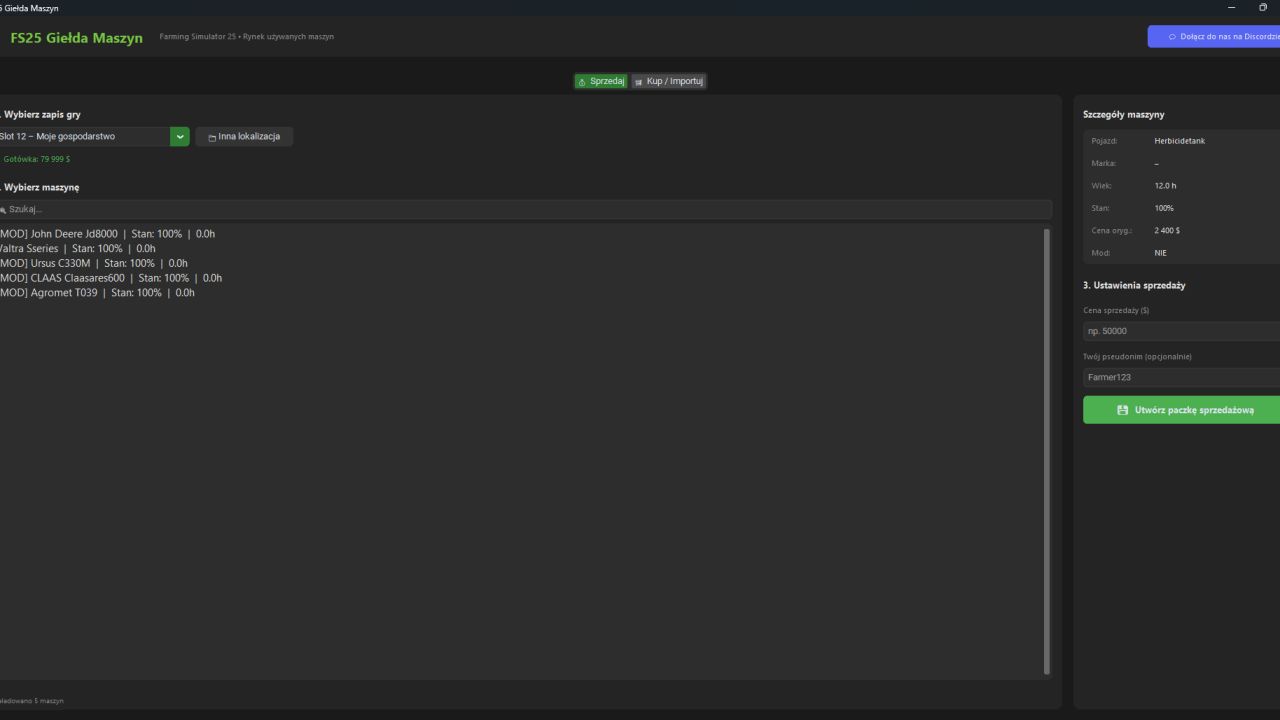
The seller selects his save game, selects the machine and sets the selling price. The program automatically:
* removes the machine from the farm,
* adds a fixed amount to the player's account,
* saves the full vehicle configuration,
* creates a sales package (file) ready to be handed over to the buyer.
### Purchase
The buyer opens the received package in the program. Application:
* takes the appropriate amount from the farm account,
* adds the machine to the selected save game,
* allows you to indicate the approximate location of the vehicle's appearance on the map.
* FOR THE MACHINE TO BE AVAILABLE IN THE GAME, THE MOD CORRECT TO THE VEHICLE PURCHASED IS REQUIRED TO BE INSTALLED.
* AFTER STARTING THE RECORDING, YOU MUST RESET THE PURCHASED MACHINE/VEHICLE TO THE STORE. THIS IS A REQUIRED STEP REGARDLESS OF WHETHER THE MACHINE/VEHICLE IS UNDER THE MAP, OUT OF THE MAP, OR VISIBLE IN THE CORRECT LOCATION.
## Project goal
The aim of the project is to create a realistic market for used machines for the Farming Simulator 25 community. The system automates the entire sales and purchase process, maintaining the full vehicle configuration and eliminating the need to manually edit game save files.